
This post is about a release of the MetaSlider Slideshow plugin. With MetaSlider Slideshow, you can create a stylish, SEO-optimized slider in minutes.
Metaslider Slideshow Pro 2.58.0 makes it easier to build and manage advanced slideshows, led by a new option to duplicate layer slides. If you often create multiple slides with similar layouts, styles, or content blocks, this update should save time by letting you start from an existing layer slide instead of rebuilding from scratch.
Plus, MetaSlider Slideshow Pro now supports the most popular 35 languages amongst WordPress users.
Table of Contents
Feature highlights
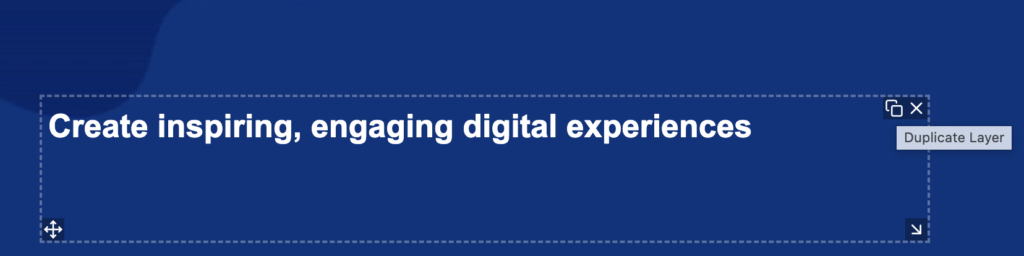
- Duplicate layer slides: You can now create a copy of an existing layer slide so you can reuse a layout and adjust only the content you need. Look for the “Duplicate Layer” icon you see in the screenshot below.
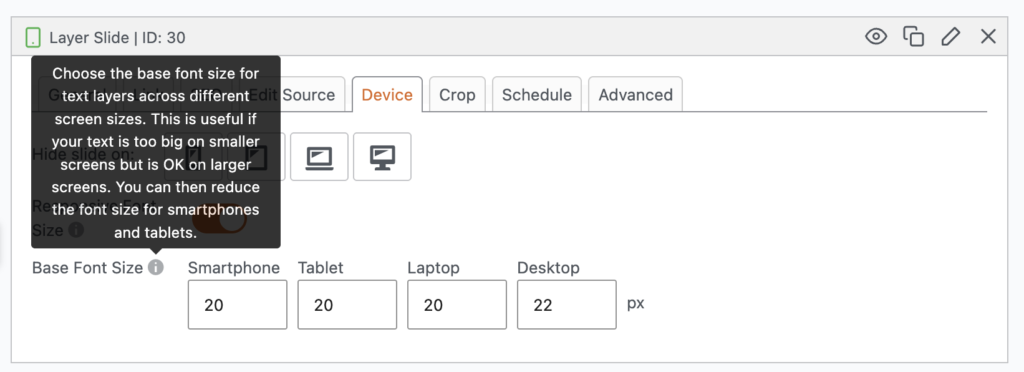
- Clearer Theme Editor sizing: A new tooltip information helps explain how em and rem units behave when editing slideshow themes.
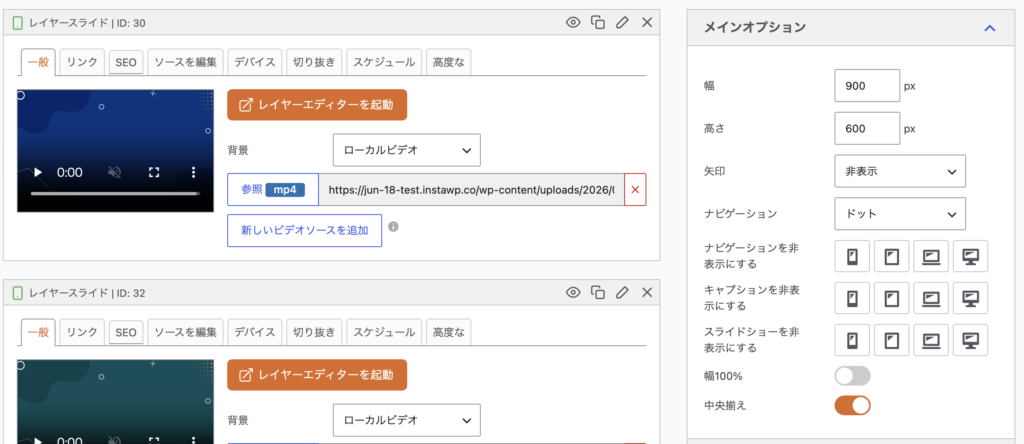
- Broader translation coverage: MetaSlider Slideshow Pro now supports many 35 languages including these: Arabic, Bulgarian, Catalan, Croatian, Czech, Danish, Dutch, Estonian, Filipino, Finnish, French, German, Greek, Hebrew, Hungarian, Indonesian, Italian, Japanese, Korean, Lithuanian, Norwegian, Persian, Polish, Portuguese, Romanian, Russian, Slovak, Slovenian, Spanish, Swedish, Thai, Turkish, Ukrainian, Vietnamese, Yoruba. Here’s a screenshot of MetaSlider Slideshow Pro in Japanese:
Security and reliability updates
This release also includes several important hardening changes for safer slideshow editing and rendering. Site owners should update promptly, especially if multiple users can create or edit slideshows.
- Safer layer slides: Layer slide HTML is now sanitized with HTML Purifier before being rendered on the front end.
- Safer slide links: Slide URLs are sanitized and escaped more consistently before output or browser actions.
- Stronger permission checks: Slide creation and CSS saving now include improved capability and nonce validation.
- More predictable settings: Filmstrip settings are cast to integers, and Theme Editor inline JavaScript output is escaped.
Interface fixes and polish
- Layer slide editing: The save button position was reorganized, drag-and-drop scrollbars were improved, and loading instructions are more reliable.
- Admin navigation: The menu label was simplified, and screen ID handling was corrected after the menu rename.
- Scheduling: The schedule date field is now larger and easier to work with.
- Notices and wording: Green notice padding and the “hide by device” text were cleaned up.
For developers
- Axios: The bundled Axios dependency has been updated to 1.17.
- Custom integrations: If your code saves layer slide HTML or slide URLs, test it against the stricter sanitization and escaping rules in this release.
This post provides an overview of the new features in this release of the MetaSlider Slideshow plugin. The complete changelogs for both Free and Pro versions are available in our Docs area.

Get the best WordPress slideshow plugin
MetaSlider Slideshow is the best WordPress slider plugin.
You can create stylish sliders using images, videos and much more.