
This post is about a release of the MetaSlider Gallery plugin. This is the quickest, easiest, and most stylish way to add a photo gallery to your WordPress site.
MetaSlider Gallery Pro 1.6.0 brings WooCommerce into your galleries. You can now fill a gallery with your store’s products, show their price, stock and other details in the lightbox, and let visitors pick a variation and add it to their cart without leaving the gallery. This release also fixes a slideshow timing issue, an admin settings glitch and a Before & After display problem on some themes.
Table of Contents
WooCommerce products in your galleries
Until now, showing products in a gallery meant uploading images by hand and linking each one back to its product page. Version 1.6.0 adds a dedicated WooCommerce Products item type that pulls products directly from your store.
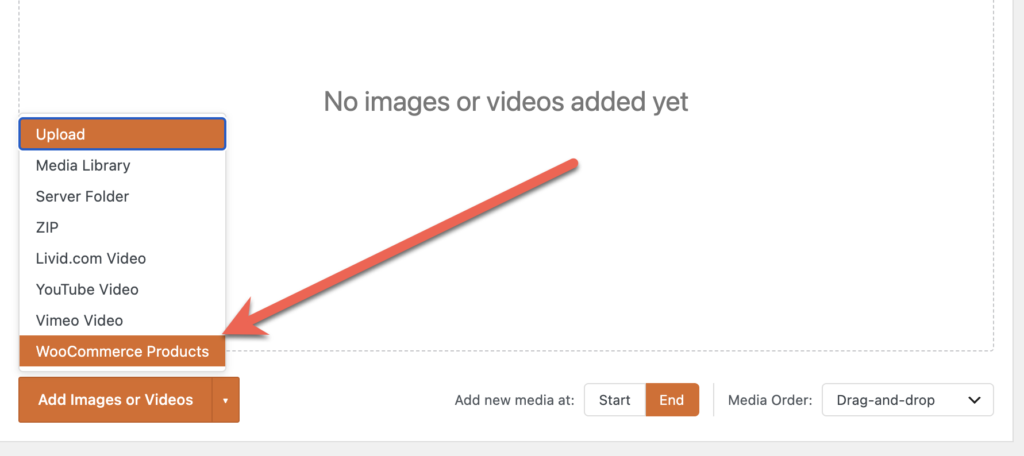
- Choose products your way: Filter products by taxonomies such as categories and tags, or pick individual products by hand.
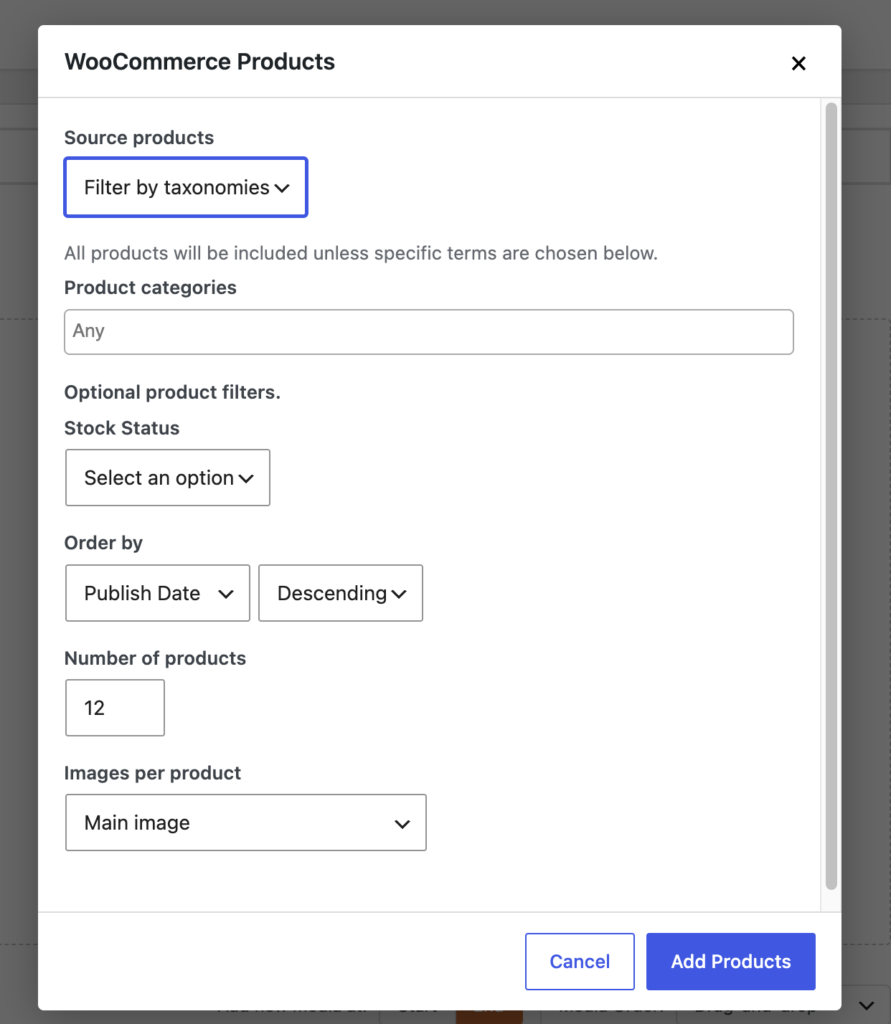
- Product captions: Lightbox captions are built automatically from product data, including title, price, stock status, SKU, rating and more.
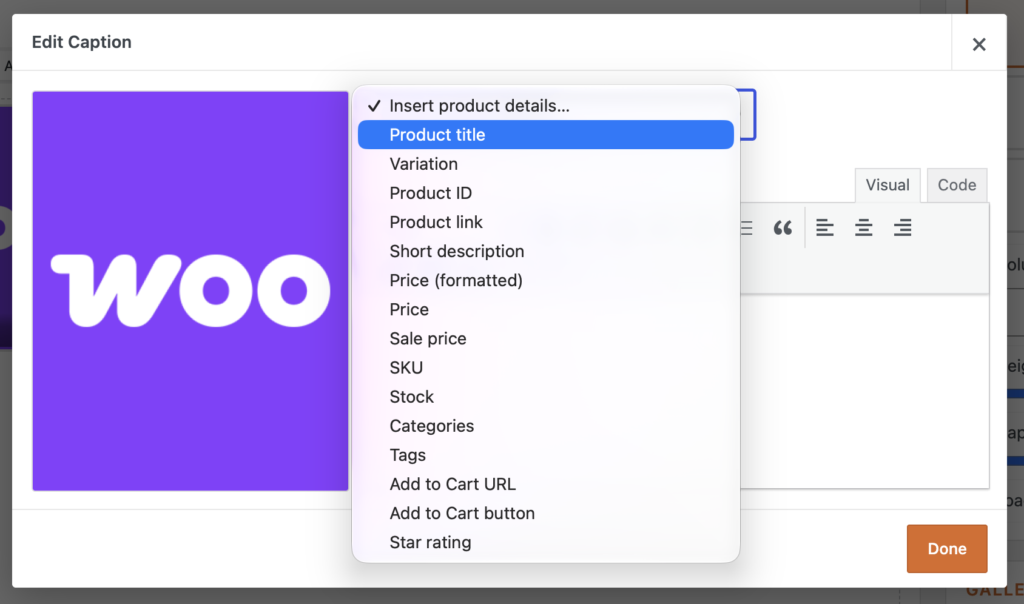
- Add to Cart in the lightbox: Visitors can add the product they are viewing to their cart directly from the lightbox toolbar.
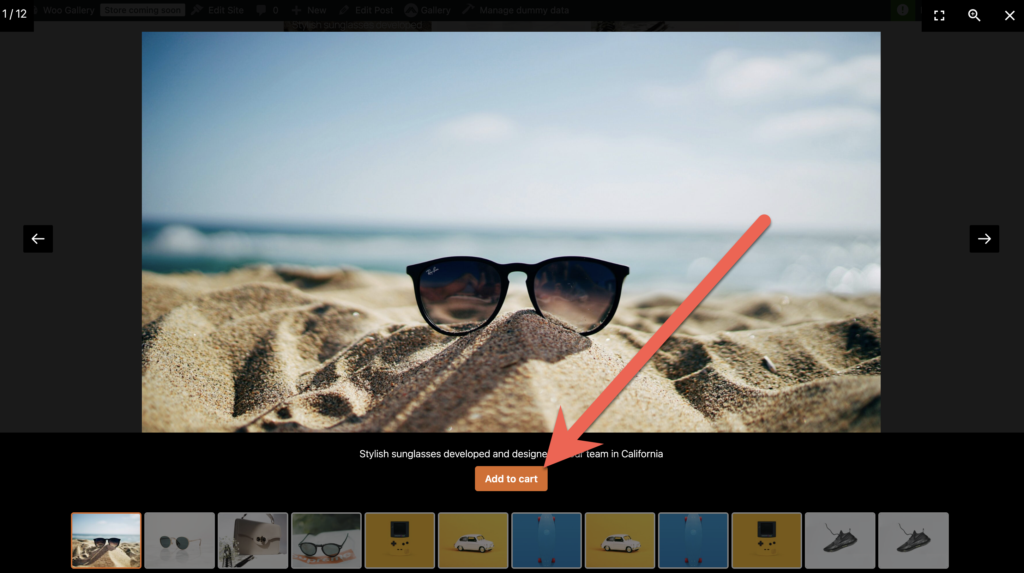
- Variation selector: For variable products, shoppers can choose options such as colour, and the image updates to match their choice.
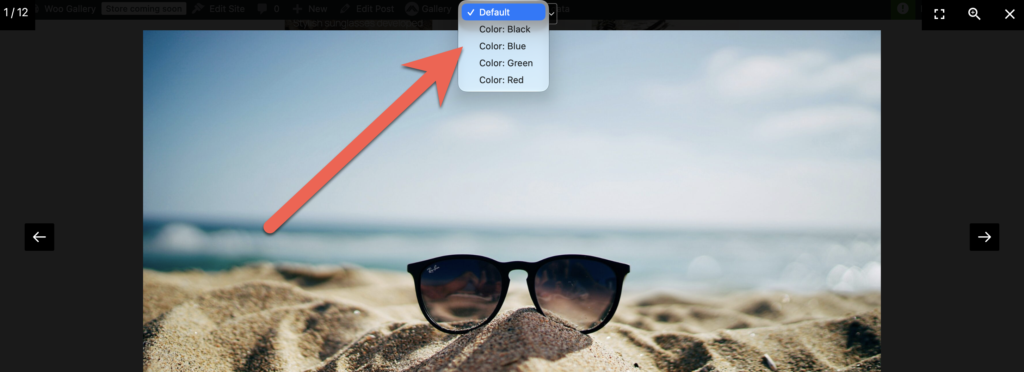
Together, these features let a gallery work as a browsable storefront. It is a good fit for lookbooks, seasonal collections or product showcases on landing pages, where you want visitors to move from browsing to buying in as few steps as possible.
Fixes and improvements
- Slideshow autoplay timing: The autoplay interval you set for a slideshow’s lightbox is now respected, and the global default advances every 4 seconds as intended instead of every 5.
- Pager and Thumbnails settings: On the Gallery settings Behavior tab, the Pager and Thumbnails toggles no longer both disappear when both are switched on.
- Before & After images: Images fill the frame again on themes that size images inline, such as Twenty Twenty-One, so the reveal stays in sync with the divider in the editor preview, on the page and in fullscreen.
- Updates screen: The plugin’s entry in the WordPress updates list now displays correctly.
- PHP 8.4 notices: Sites running PHP 8.4 no longer see deprecation notices from the plugin’s built in update checker.
For developers
- Updater library: The bundled Simba plugin manager updater moves from 1.9.5 to 1.9.8, which ships plugin-update-checker 5.7 in place of 5.5, matching the version bundled with MetaSlider Pro.
- Shared updater class: Both plugins define
Updraft_Manager_Updater_1_9and only load their own copy if the class is not already defined, so matching versions ensures neither plugin runs on an older copy. - PHP 8.4 compatibility: The updated update checker uses explicit nullable parameter types, which removes the implicit nullable deprecation notices.
- Lightbox autoplay option: The front end script now passes the interval to the bundled lightGallery autoplay plugin as
slideShowInterval, the option it actually reads, instead ofpause. - Dependency bump: The minimum required version of the base MetaSlider Gallery plugin is now 2.39.0.
This post provides an overview of the new features in this release of the MetaSlider Gallery plugin. The complete changelogs for both Free and Pro versions are available in our Docs area.

Get the best WordPress gallery plugin
MetaSlider Gallery is the best WordPress gallery plugin.
You can show WordPress images, videos, and slideshows in a stylish gallery.