
This post is about a release of the MetaSlider Gallery plugin. This is the quickest, easiest, and most stylish way to add a photo gallery to your WordPress site.
We built the easiest-to-use slider plugin for WordPress with MetaSlider Slideshow.
We’re now trying to do the same for photo galleries. So I’m not going to claim that the latest release of MetaSlider Gallery has many new features.
What is does have is lot of polish. We’re aiming to make things easier and smoother.
You should be able to upload images and have a gallery ready in less than one minute!
MetaSlider Gallery 2.33.0 is available today. This version gives you more control over how galleries look, how images are uploaded, and how the expanded gallery window behaves.

Table of Contents
Easier image uploads and imports
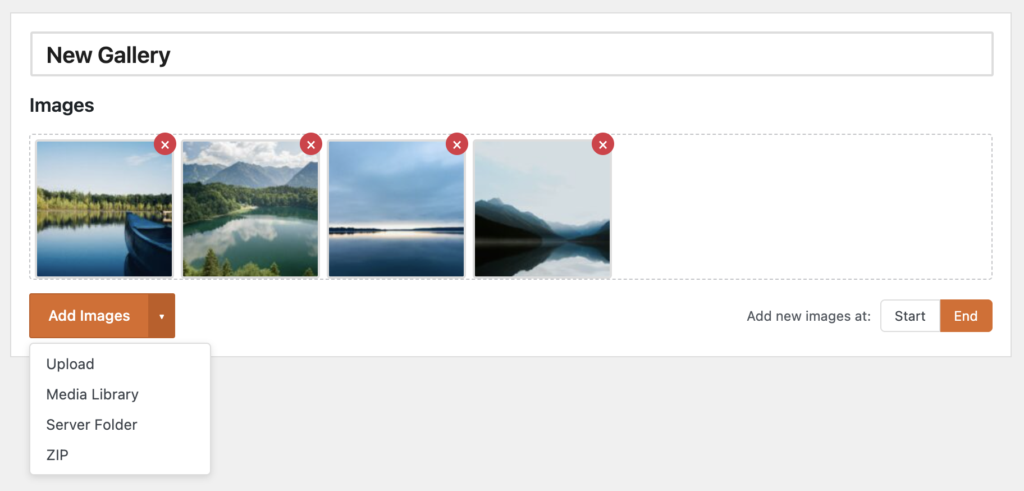
You can now add gallery images from more sources, which should be especially helpful when building larger galleries or migrating image collections into WordPress.
- Upload: Add new image files directly when building a gallery.
- Media Library: Choose images that are already available in WordPress.
- Server folder import: Pull in images that already exist on your server.
- ZIP import: Bring in a batch of images from a ZIP file.
More control over each gallery
This release adds several customization options that can be managed per gallery, helping you adapt each gallery to its page instead of relying only on site-wide defaults.
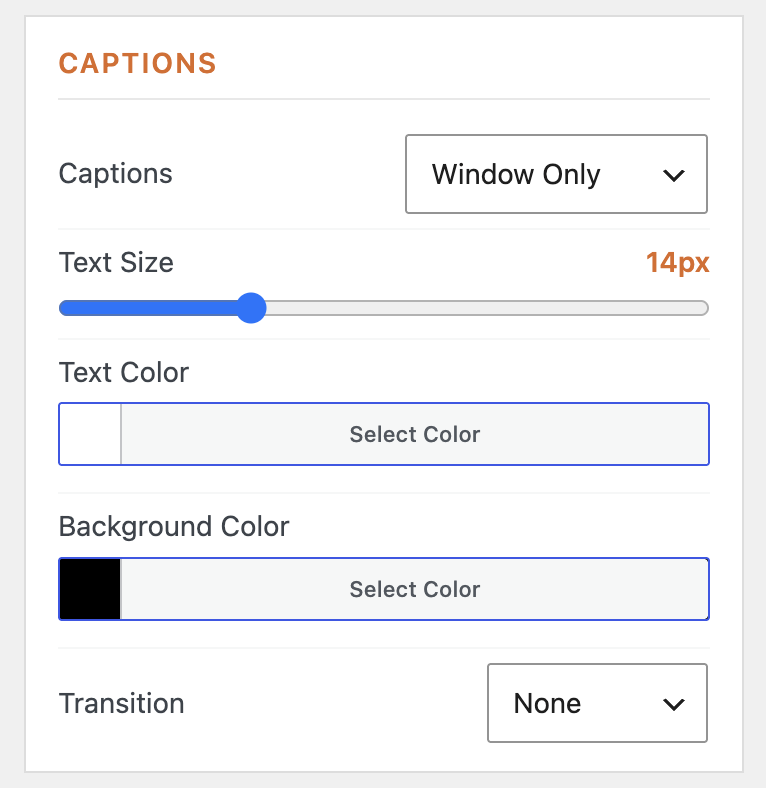
- Caption appearance: When editing a gallery you can adjust the caption text, colors, and backgrounds so the captions are easier to read in thumbnails and the gallery window.
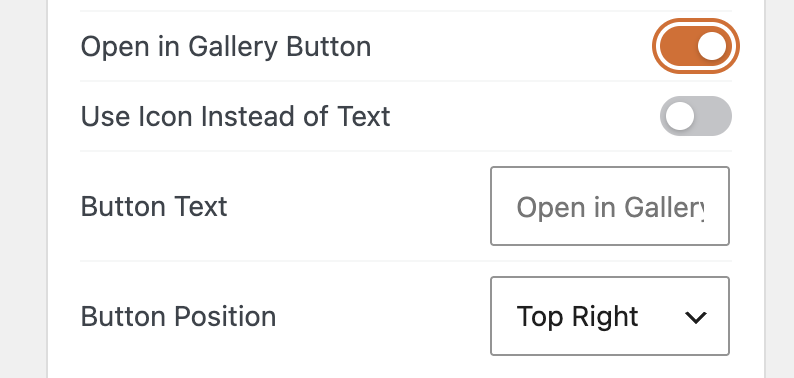
- Gallery window controls: You can now customize the “Open in Gallery” button, including button text and icon options, for individual galleries.
- Thumbnail navigation: The thumbnail navigation will now keep a consistent height. So even if your are mix of different heights, your users will get a steady, clean browsing experience.

A cleaner settings experience
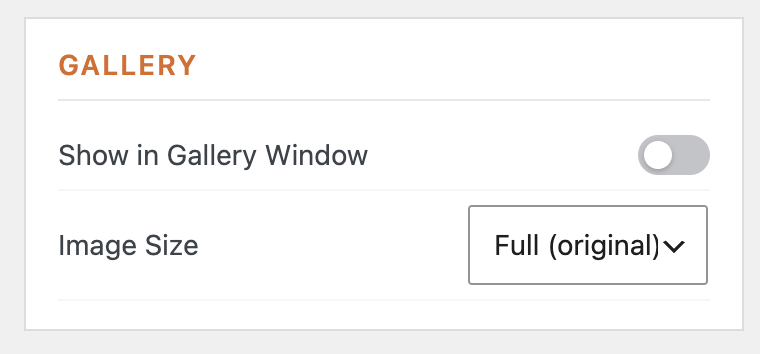
The gallery settings panel has been rearranged and reorganized, with related controls grouped more logically. MetaSlider Gallery now hides irrelevant settings when “Show in Gallery Window” is disabled.
This version also clarifies the Include and Exclude settings, and updates the Autoplay labels so it is clearer which options work together.
Gallery Pro upgrade information
Version 2.33.0 adds a dedicated “Upgrade to Pro” page and contextual Pro prompts inside the Gallery interface. This makes it easier to understand which advanced features are available in Pro without leaving your normal gallery workflow.
Other improvements and fixes
This release also includes several quality-of-life fixes and localization improvements for both site owners and administrators.
- Complete translations: All 30+ supported languages now have completed translations.
- More accurate previews: The gallery preview now matches the frontend layout more closely.
- Showcase layout settings: Settings now show and hide correctly for the Showcase layout.
- Mobile columns: The “Columns (mobile)” setting is now respected instead of falling back to the desktop Columns value.
- Shortcode copying: The copy shortcode button now works on non-HTTPS sites using a clipboard fallback.
- Release workflow: AI translation updates are now included as part of the release process.
More about MetaSlider Gallery
MetaSlider Gallery 2.33 is focused on practical improvements: easier image imports, better per-gallery controls, cleaner caption styling, and a simpler settings experience. If you’re new to the plugin, start with our introduction to MetaSlider Gallery. You can also read about the recent MetaSlider Gallery 2.32.2 release, which added the option to show galleries without the gallery window. For Pro users, the MetaSlider Gallery Pro 1.2 update explains the newest controls for gallery settings, sharing options, and autoplay styling.
This post provides an overview of the new features in this release of the MetaSlider Gallery plugin. The complete changelogs for both Free and Pro versions are available in our Docs area.

Get the best WordPress gallery plugin
MetaSlider Gallery is the best WordPress gallery plugin.
You can show WordPress images, videos, and slideshows in a stylish gallery.