
This post is about a release of the MetaSlider Slideshow plugin. With MetaSlider Slideshow, you can create a stylish, SEO-optimized slider in minutes.
MetaSlider Slideshow 3.111.0 focuses on making busy slideshow libraries easier to manage and richer to design.
The headline additions include converting eligible image slideshows into galleries, adding icons inside captions, searching for slideshows directly in the block editor, and finding settings faster in the slideshow options panel.
Table of Contents
Feature highlights
This is a user-facing update with several improvements aimed at saving clicks in the WordPress admin and giving you more creative options when building slideshows.
- Convert to Gallery: Sideshows now show a button that helps you quickly move those imnages into the MetaSlider Gallery plugin. If you don’t have MetaSlider Gallery installed, there’s a short and easy workflow so you can be up-and-running quickly.

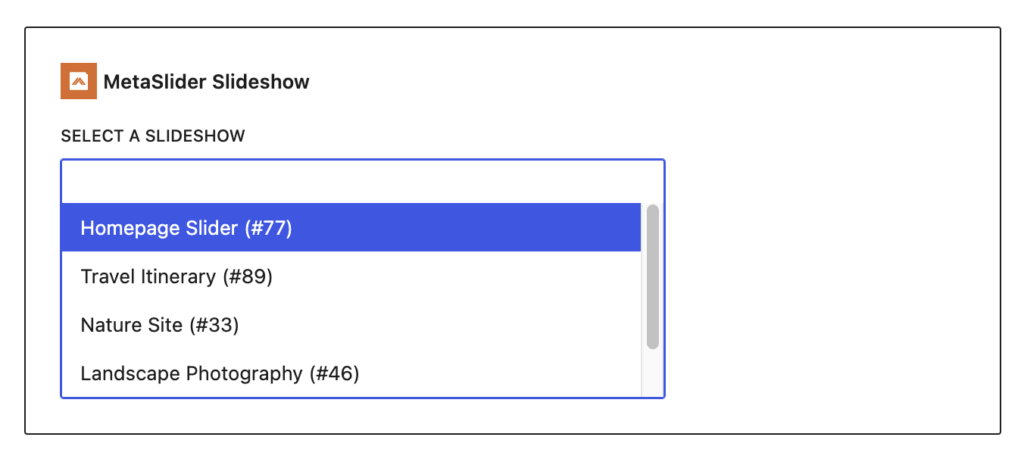
- Searchable block selector: In the Gutenberg block, you can now search by slideshow name when choosing which slideshow to display.
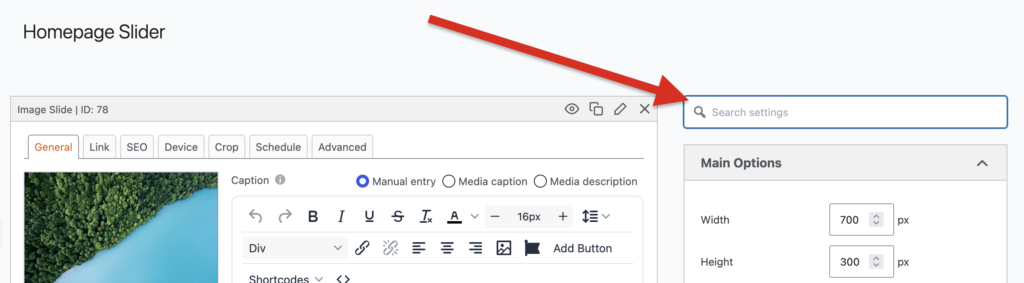
- Searchable slideshow options: Use the new search field in the settings sidebar to jump straight to the control you need instead of scanning every panel.
Other improvements and fixes
- Accessibility: Arrow controls received focus and usability improvements, helping keyboard users see where they are while navigating.
- Admin reliability: The update fixes slide count issues after trashing slides, captions disappearing after sidebar reordering, and loading indicators that stayed visible after deleting slides.
- Editor polish: TinyMCE formatting rows now move more reliably together, and the Add Slide button and toggle colors have been corrected.
- Theme fix: The Architekt theme now handles navigation positioning more accurately when slides use links.
- Preview instructions: The slideshow preview guidance has been corrected for Mac users.
- Maintenance: Axios was updated to 1.18, the readme naming was refreshed to “MetaSlider Slideshow Pro,” and the changelog was moved into a dedicated CHANGELOG.md file.
This post provides an overview of the new features in this release of the MetaSlider Slideshow plugin. The complete changelogs for both Free and Pro versions are available in our Docs area.

Get the best WordPress slideshow plugin
MetaSlider Slideshow is the best WordPress slider plugin.
You can create stylish sliders using images, videos and much more.