
This post is about a release of the MetaSlider Gallery plugin. This is the quickest, easiest, and most stylish way to add a photo gallery to your WordPress site.
MetaSlider Gallery 2.35.0 makes it easier to build, preview, and improve your galleries before they go live. You’re going to love the new gallery preview feature!
Plus captioning also gets a major usability upgrade in this release. And it’s now really easy to make galleries from your slideshows.
Table of Contents
Live gallery preview
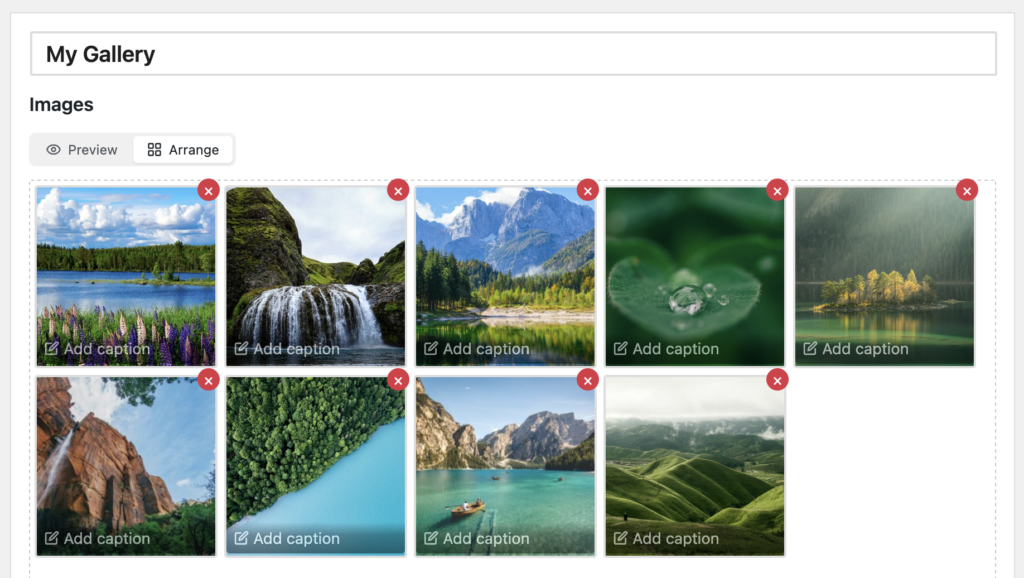
When you’re editing a gallery, you’ll see new “Preview” and “Arrange” toggles. You can use these to switch between seeing how the gallery will look to visitors and editing your images.
This screenshot shows the “Preview” tab. There’s a live preview of a gallery using the Masonry layout. You can use the Desktop and Mobile options to preview your responsive layouts.
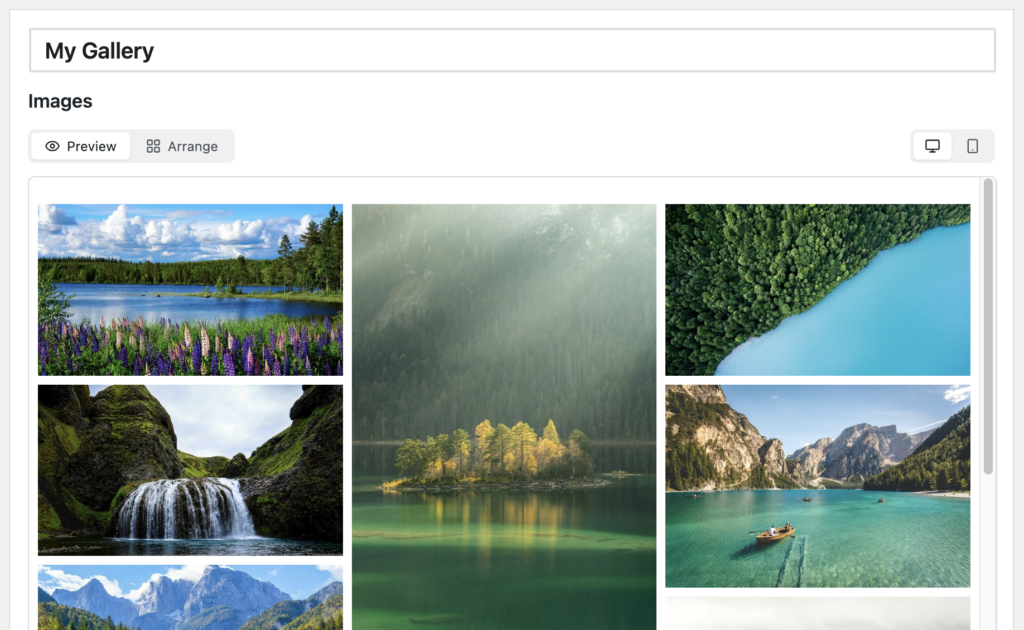
The new live preview is especially useful when adjusting gallery layout, lightbox behavior, button styles, colors, and captions. Instead of saving and checking a separate page repeatedly, you can make changes in the editor and review the result immediately.
And if you click to the “Arrange” option, you can edit each image and change the order. You can see the “Arrange” tab in this screenshot below.
Other new features
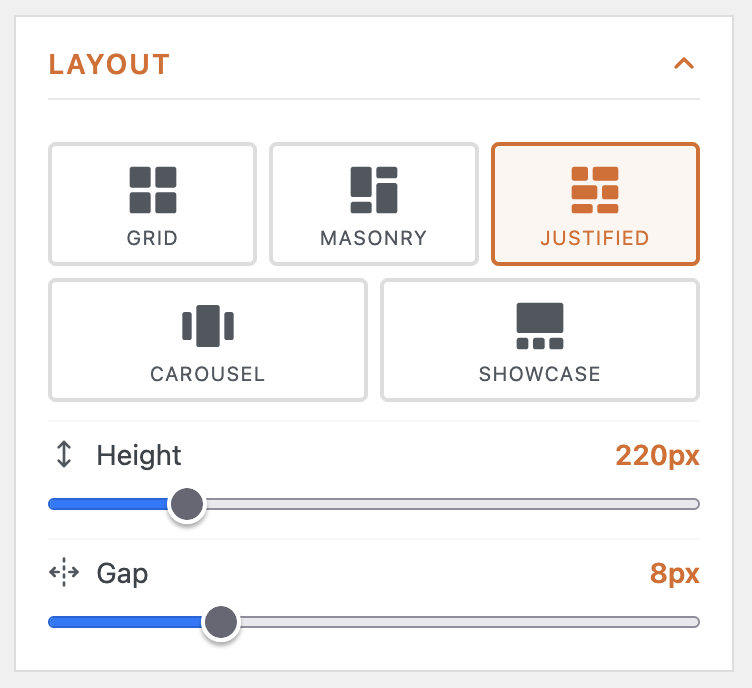
- Per-gallery height control: Grid and Justified layouts now have their own Height setting, helping you avoid awkward cropping in individual galleries.
- Improved caption editing: In the “Arrange” tab you can now see the captions and edit them easily.
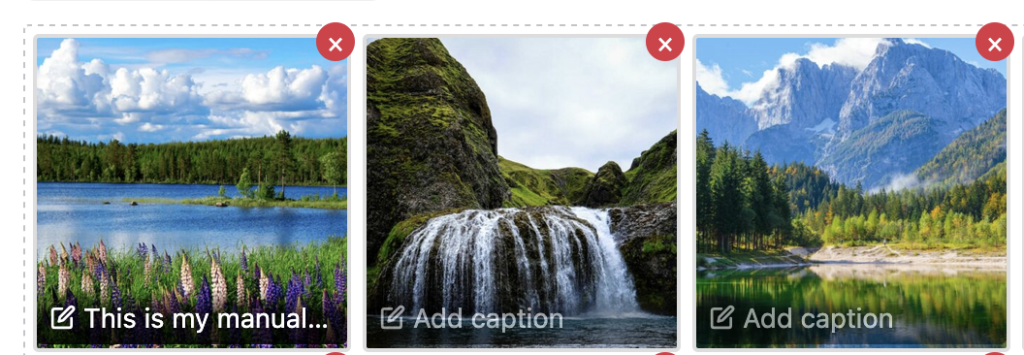
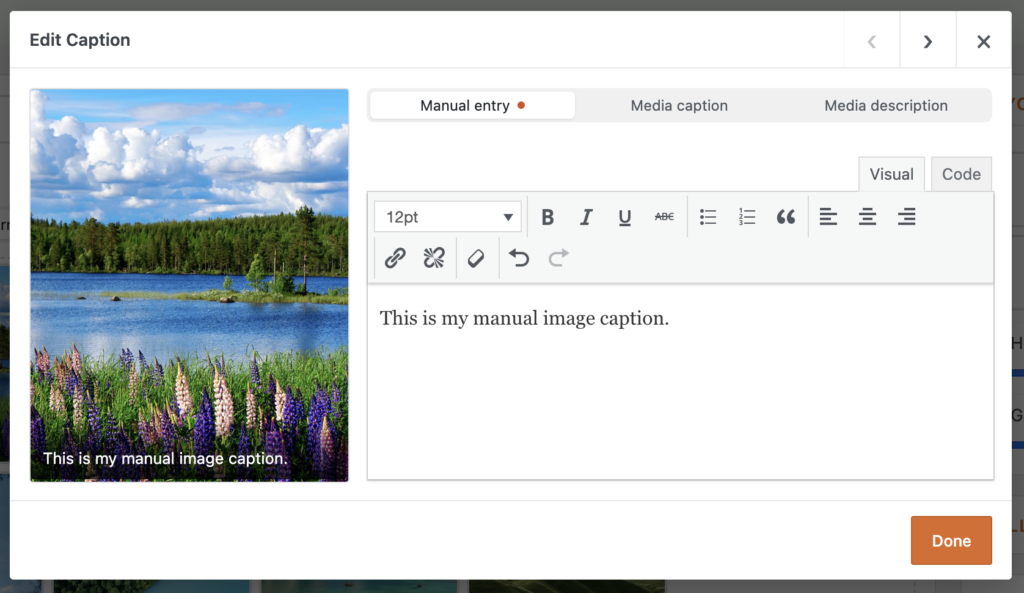
- Caption source selector: Captions now have a single-image modal for faster editing. You can choose whether captions come from manual entry, the WordPress media caption, or the media description.
Slideshow conversion
You can now convert an existing MetaSlider slideshow into a gallery instead of rebuilding it from scratch. Inside the MetaSlider Slideshow plugin you’ll see a “Convert to Gallery” button.

Editor and workflow improvements
Version 2.35.0 also reorganizes several parts of the gallery editor so settings are easier to scan and understand. The sidebar now uses single-open accordion panels, and settings that affect front-end gallery controls include matching icons so you can more easily connect an editor option with what visitors will see.
- Clearer open behavior: Lightbox trigger options are now consolidated into one “How visitors open images” control with Image, Icon, and Button choices.
- Per-gallery appearance options: Button, icon, and progress-bar appearance controls have moved onto individual galleries for more precise styling.
- Renamed global area: The previous Settings submenu is now called Global Settings to better distinguish site-wide defaults from per-gallery controls.
- Better first-run experience: The welcome flow and empty gallery state have been redesigned to help new users start creating galleries faster.
- Clickable empty gallery area: The “No images added yet” area now opens the media library, making the first image upload more direct.
Security and maintenance
This release also includes security hardening around gallery style handling and administrative caption actions. While the most visible changes are editor improvements, site owners should still treat 2.35.0 as a recommended update.
For developers
The caption system now includes filterable caption source handling, including source registration, defaults, save behavior, and per-source editability. If you extend gallery captions or integrate media metadata, test your customizations against the new Caption Content selector and the updated caption editing flow.
This post provides an overview of the new features in this release of the MetaSlider Gallery plugin. The complete changelogs for both Free and Pro versions are available in our Docs area.

Get the best WordPress gallery plugin
MetaSlider Gallery is the best WordPress gallery plugin.
You can show WordPress images, videos, and slideshows in a stylish gallery.