
Hey, and thanks for using MetaSlider!
Our goal is to build the most user-friendly image plugins for WordPress.
June and July were really busy months for our team, and we added lots of useful new features to MetaSlider Slideshow.
To help you catch up, we’ve put together a top 10 list. Here’s a quick look at the improvements in MetaSlider Slideshow we think will make the biggest difference when you build and manage your slideshows.
If you use the MetaSlider Gallery plugin, here’s what’s new.
Table of Contents
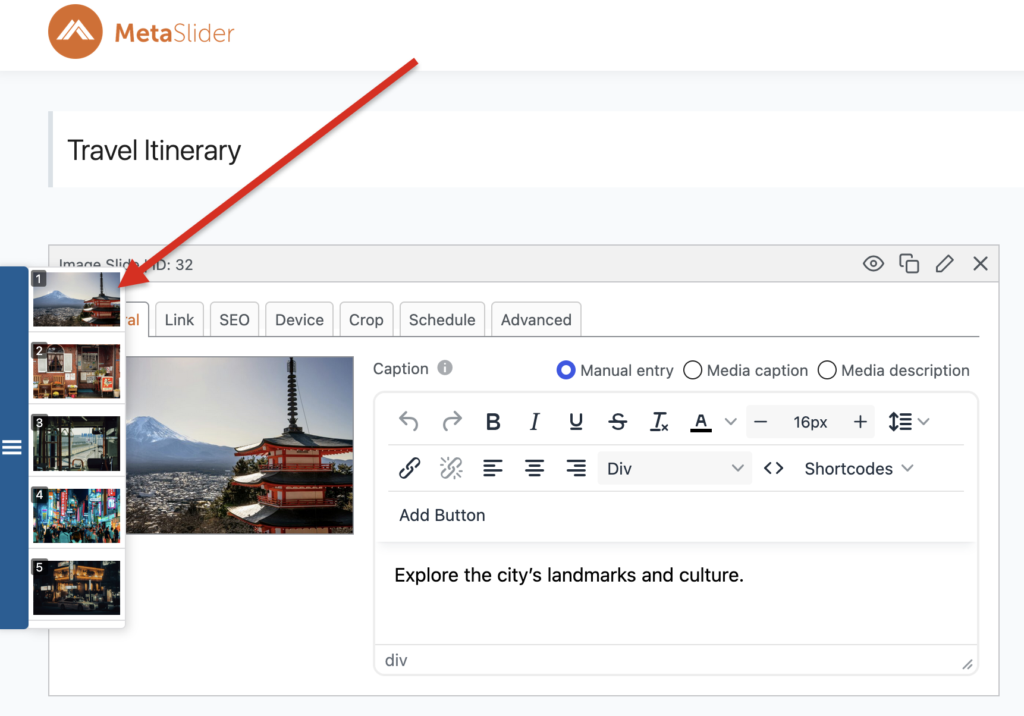
1. Drag-and-drop slide sidebar
This was one of the most popular requests from users who manage large slideshows. The new drag-and-drop panel in the left sidebar makes it much easier to move slides around and put them in the right order.
2. Background Color slides
MetaSlider Slideshow Pro users can now create slides with a solid background color. These slides are perfect for introductions, promotional messages, calls to action, or any content that doesn’t need a photo. The example below uses the MetaSlider brand colors:

3. Convert sliders to galleries
You’ll now see a button that lets you quickly move your slideshow images into MetaSlider Gallery. MetaSlider Gallery is our newest plugin, built to make beautiful WordPress photo galleries easy to create. If you don’t already have it installed, a short setup process will help you get up and running quickly.

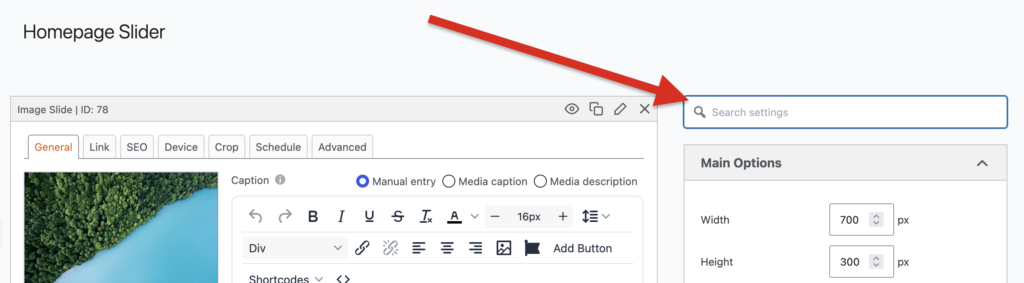
4. Searchable slideshow options
Looking for a particular setting? You can now use the search field in the settings sidebar to jump straight to the control you need, without opening and searching through every panel.
5. Add images to captions
You can now add images directly to your slideshow captions. The screenshot below shows how easy it is to add an image.
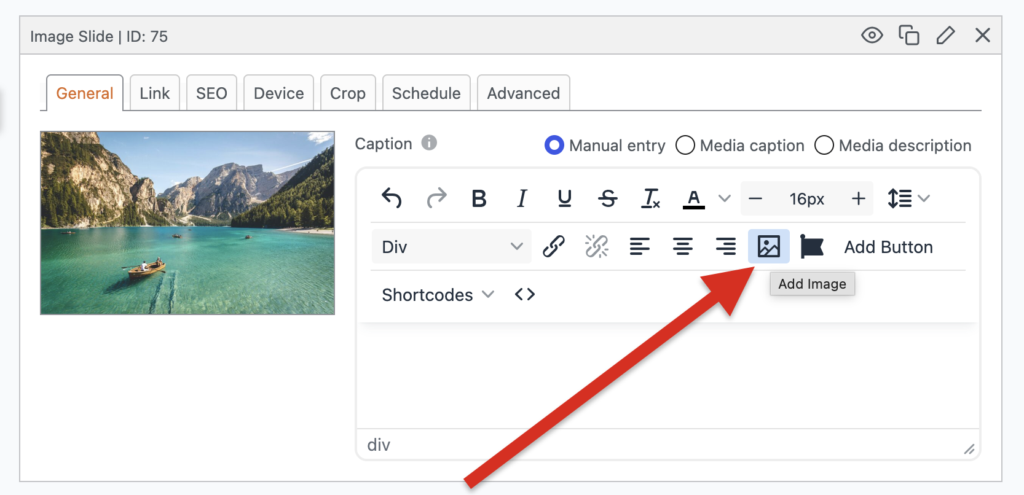
6. Add icons to captions
The button next to “Add Image” also lets you add icons to your captions. There are thousands of icons to choose from. Icons are a simple way to draw attention to important text, as shown in the example below:

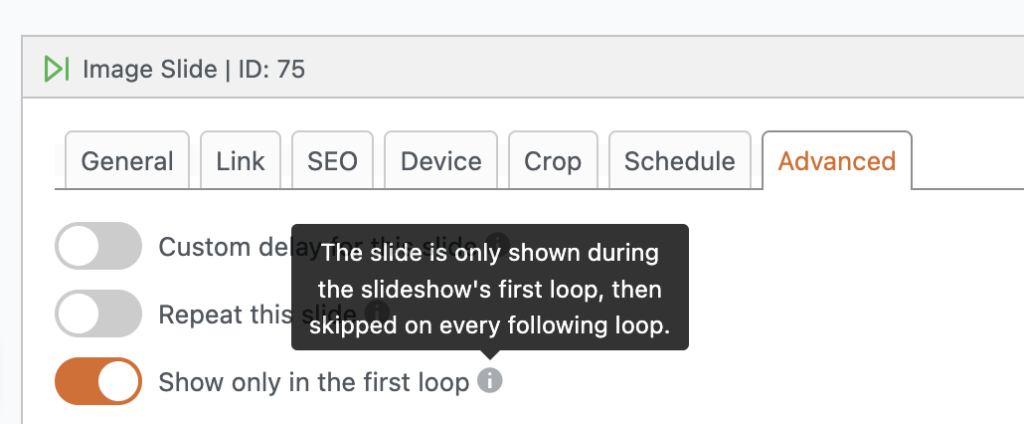
7. One-time slides
You can now choose to show a slide only during the first loop. This is useful for welcome messages, short introductions, or limited-time promotions that visitors only need to see once. You’ll find this under the “Advanced” tab.
8. Searchable block selector
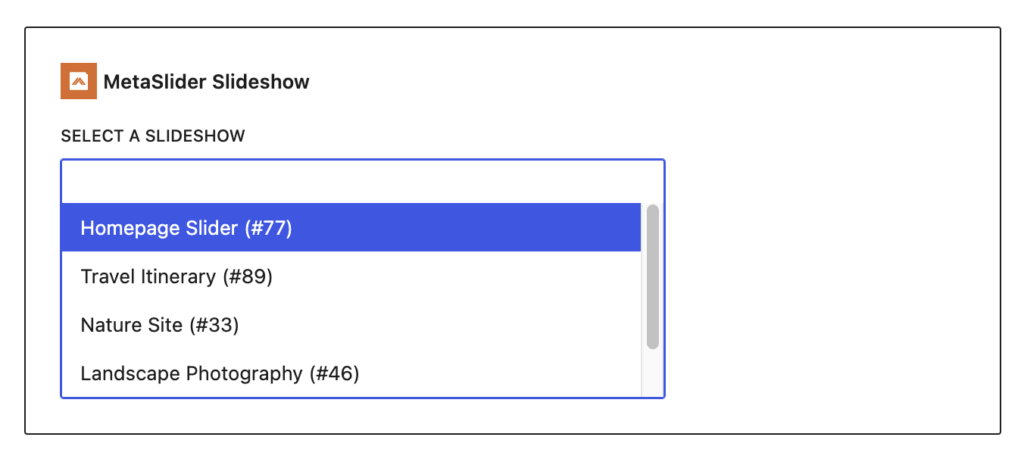
In the WordPress block editor, you can now search for a slideshow by name when choosing which one to display. This is especially helpful if you manage lots of slideshows.
9. Accessibility improvements
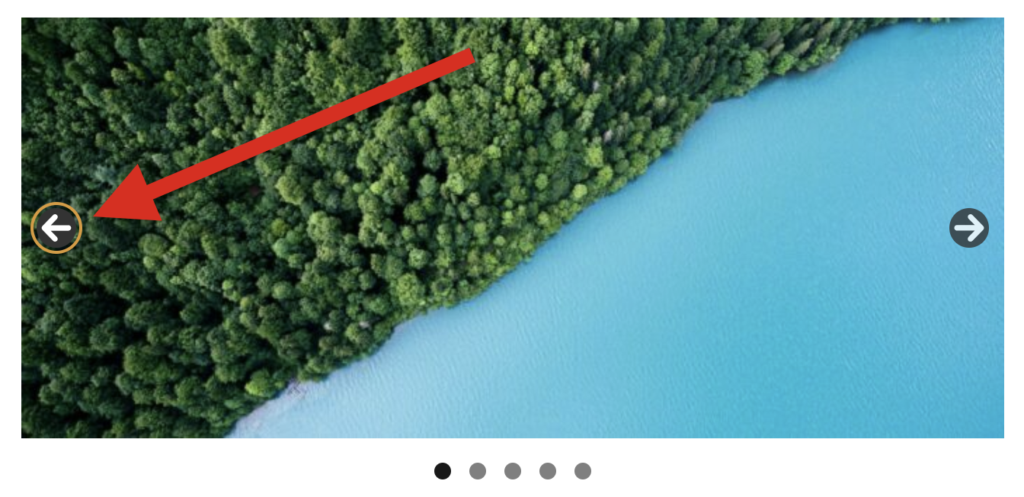
We always work hard to make MetaSlider Slideshow the most accessible WordPress slider plugin. One of the latest improvements is the new “Focus Outline Color” setting. When visitors use the Tab key to move through your slideshow controls, a colored outline shows which control currently has focus. In the example below, an orange outline appears around the left arrow. This clear visual cue makes the slideshow easier to navigate using a keyboard.
10. Over 30 language translations
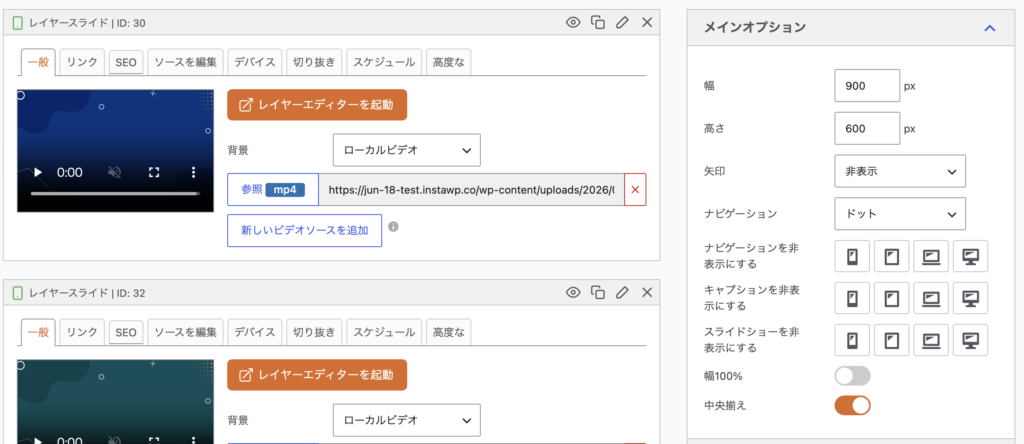
MetaSlider Slideshow now supports 35 languages including these: Arabic, Bulgarian, Catalan, Croatian, Czech, Danish, Dutch, Estonian, Filipino, Finnish, French, German, Greek, Hebrew, Hungarian, Indonesian, Italian, Japanese, Korean, Lithuanian, Norwegian, Persian, Polish, Portuguese, Romanian, Russian, Slovak, Slovenian, Spanish, Swedish, Thai, Turkish, Ukrainian, Vietnamese, Yoruba. Here’s a screenshot of MetaSlider Slideshow in Japanese:
Build better WordPress slideshows with MetaSlider
Ready to try these improvements?
MetaSlider Slideshow makes it easy to create stylish sliders using images, videos, and much more.

Get the best WordPress slideshow plugin
MetaSlider Slideshow is the best WordPress slider plugin.
You can create stylish sliders using images, videos and much more.