
This post is about a release of the MetaSlider Gallery plugin. This is the quickest, easiest, and most stylish way to add a photo gallery to your WordPress site.
Metaslider Gallery 2.32.1 gives site owners more control over gallery thumbnail styling, with new options for thumbnail border and hover colors. It also includes several security-focused fixes around captions, permissions, and license-key exposure, so this is a worthwhile update even if you do not plan to change your gallery design.
Table of Contents
Feature highlights
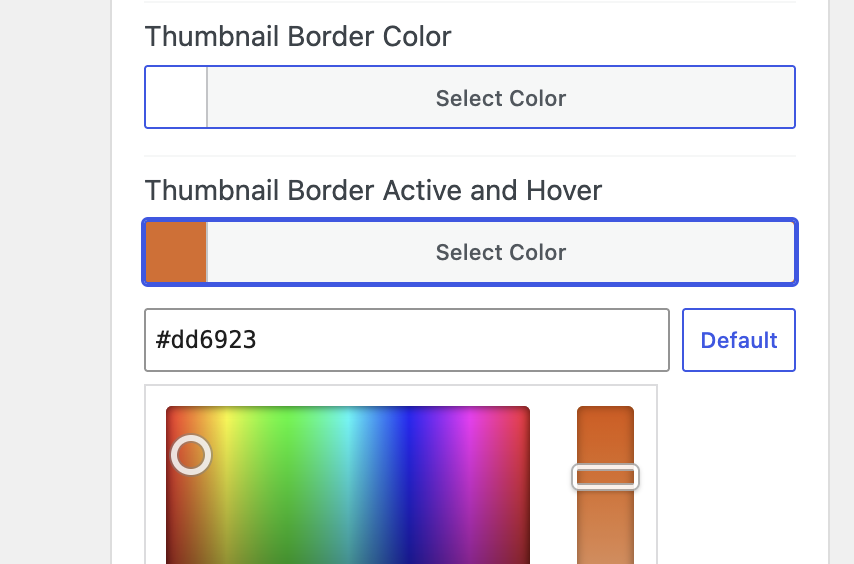
The main user-facing addition is the ability to customize thumbnail border colors and hover colors, making it easier to match lightbox galleries to your site’s visual style.
- Thumbnail border color: Set a custom border color so gallery thumbnails fit your theme, brand palette, or page design.
- Thumbnail hover color: Choose the color visitors see when they hover over thumbnails, giving galleries a more polished interactive feel.
After updating, check the thumbnail styling options for your galleries and adjust the new color controls as needed.
Other changes
This release also hardens several areas of the plugin that handle front-end output and gallery management permissions.
- Caption sanitization — Image captions are sanitized before being rendered into lightGallery caption data, reducing the risk of cross-site scripting.
- Gallery duplication permissions — Duplicating galleries now requires the same admin-level permission used by the wider gallery management workflow.
- REST preview permissions — The gallery preview REST endpoint now follows the plugin’s gallery management permission policy more closely.
Because these fixes include security-related changes, administrators should update promptly and confirm that only trusted admin-level users can manage and duplicate galleries.
This post provides an overview of the new features in this release of the MetaSlider Gallery plugin. The complete changelogs for both Free and Pro versions are available in our Docs area.

Get the best WordPress gallery plugin
MetaSlider Gallery is the best WordPress gallery plugin.
You can show WordPress images, videos, and slideshows in a stylish gallery.