
Metaslider Gallery 2.30.0 is a feature-packed update focused on making galleries easier to add, customize, and manage. The headline addition is a new Gutenberg block, so you can insert galleries directly in the WordPress block editor without needing to copy and paste a shortcode first.
Table of Contents for this post
Feature highlights
- Gutenberg block: Add galleries directly inside the WordPress block editor using a dedicated block.
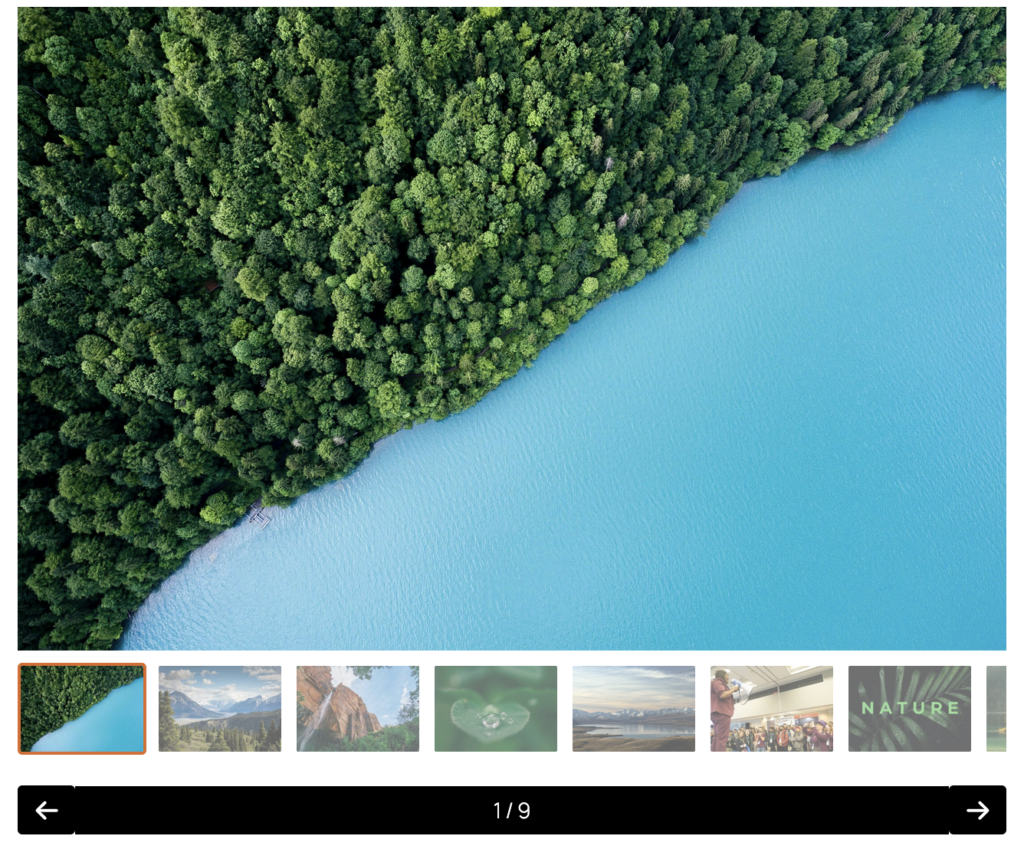
- Showcase layout: Present image collections in a more polished, editorial-style gallery view.
- Image size controls: Choose which image size is displayed in the gallery window to balance visual quality and performance.
- Per-slideshow gallery settings: Customize gallery window behavior for individual slideshows instead of relying only on global settings.
- Usage column: See which posts and pages use each gallery from the gallery list.
- Click-to-copy shortcodes: Copy a gallery shortcode from the list or editor screen with a single click.
- Duplicate action — Clone an existing gallery from the editor toolbar when you want to reuse a setup.
- Admin toolbar edit link — Jump from the front end to the gallery editor while logged in.
The new Showcase layout is one of the most visible changes in this release. It gives site owners another presentation option for photo essays, portfolios, news galleries, and other image-heavy content where the gallery itself should feel more prominent.
Metaslider Gallery 2.30.0 also gives you more control over what visitors see when they open images in the gallery window. You can now choose the displayed image size, which is useful if you want sharper images for high-impact galleries or smaller files for lighter pages.
Several updates are aimed at day-to-day site management. The new Usage column helps you understand where each gallery appears across your site, which is especially helpful before editing or deleting a gallery.
Shortcode workflows are smoother too. Even with the new block available, shortcodes remain useful for widgets, templates, older content, and teams that prefer the classic approach.
The gallery editor toolbar now includes a Duplicate option, making it faster to create a new gallery based on an existing design or configuration.
There is also a new edit link in the WordPress admin toolbar, so logged-in users can move from a gallery on the front end straight to the relevant editing screen.
Other changes
This release continues the plugin’s move toward clearer “gallery” terminology. User-facing labels and descriptions have been updated to remove older “Lightbox” wording, and MetaSlider slideshow settings now refer to gallery options more consistently.
The plugin description, free/pro naming, icon, and WordPress.org readme have also been refreshed. Translation coverage has been updated across Dutch, Polish, Portuguese, Japanese, Spanish, French, Italian, and other supported languages.

Get the best WordPress gallery plugin
MetaSlider Gallery is the best WordPress gallery plugin.
You can show WordPress images, videos, and slideshows in a stylish gallery.