
This post is about a release of the MetaSlider Slideshow plugin. With MetaSlider Slideshow, you can create a stylish, SEO-optimized slider in minutes.
Metaslider Slideshow Pro 2.59.0 adds a new Background Color slide type, giving you a simple way to build solid-color or gradient slides without uploading an image.
This release also makes captions more flexible with image and icon insertion, improves keyboard accessibility, and fixes several slideshow editing issues.
Table of Contents
Background Color slides
The headline addition is Background Color slides. You can create a slide with a solid color or gradient colors. Then place your caption content over the background.
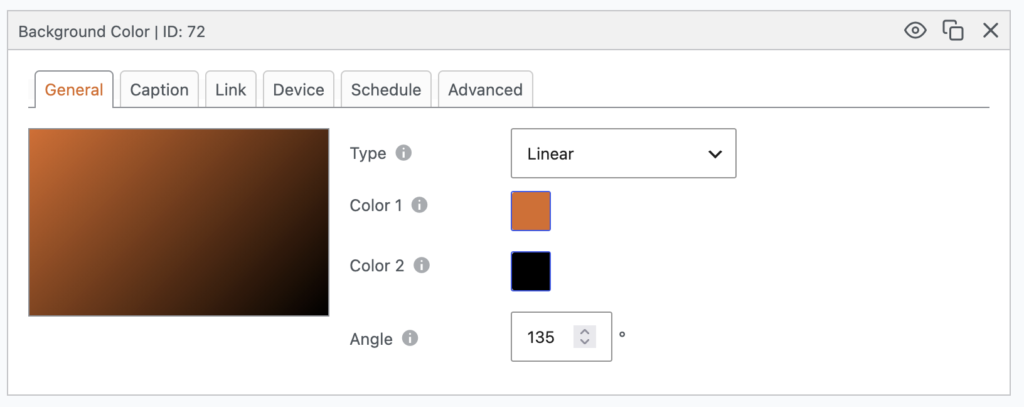
This feature is useful for intro slides, section dividers, promotional messages, calls to action, or any slide where a photo isn’t needed. You can seen an example in this next screenshot. This uses the MetaSlider brand colors:

Caption improvements
This release has some very helpful improvements to captions. You can now insert images and icons into your captions. This screenshot below shows how to add images.
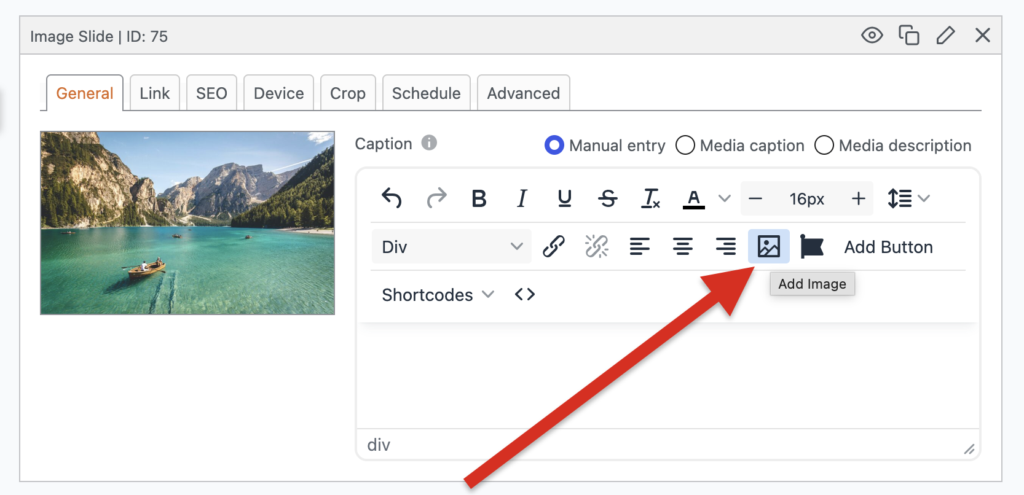
The button next to “Add Image” is labeled “Add Icon”. Click this and you’ll get a pop-up that allows you to choose from hundreds of icons:
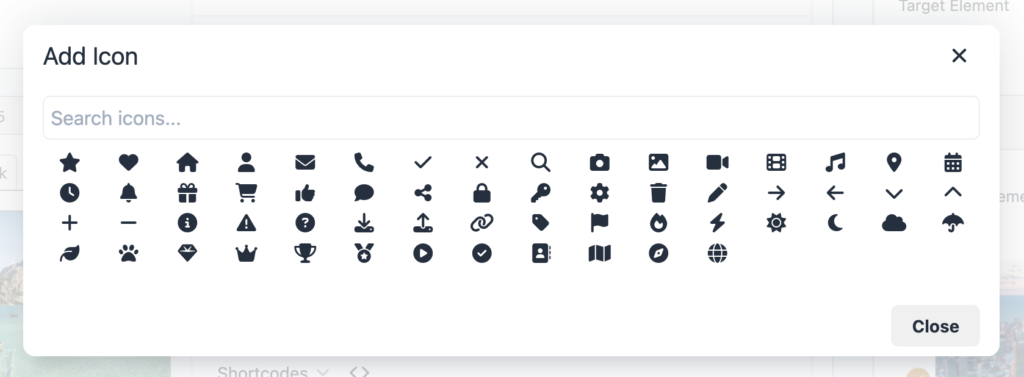
With the help of icons, you can make your captions stand out more, as with this slide shown below:

One-time slides
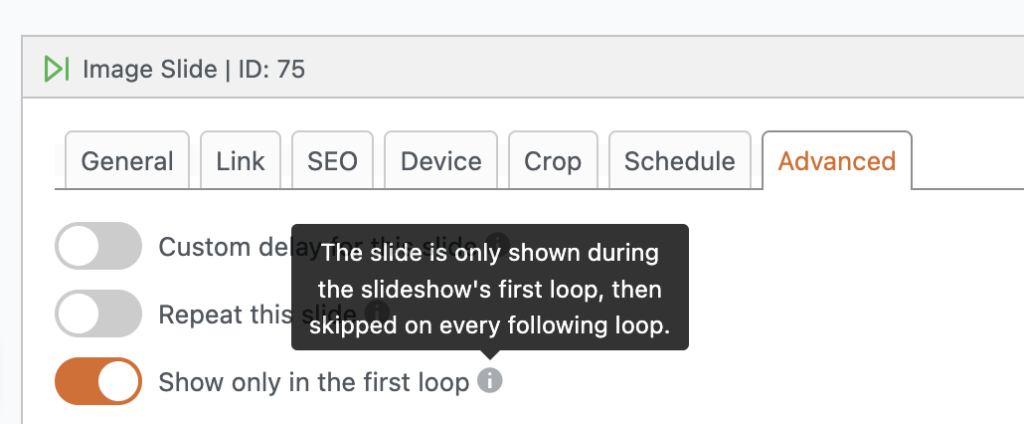
You can now set a slide to appear only on the first loop. This is really useful for welcome messages, temporary intros, or opening promotions.
Accessibility improvements
We work hard to make sure MetaSlider is the most accessible WordPress slider plugin. Keyboard users will now get a clear visual cue when slideshow navigation arrows receive focus. This helps users navigating via keyboard to clearly see which link or button is currently active and ready to use.
You can choose the color of this focus in the sidebar of each slideshow, as shown below:
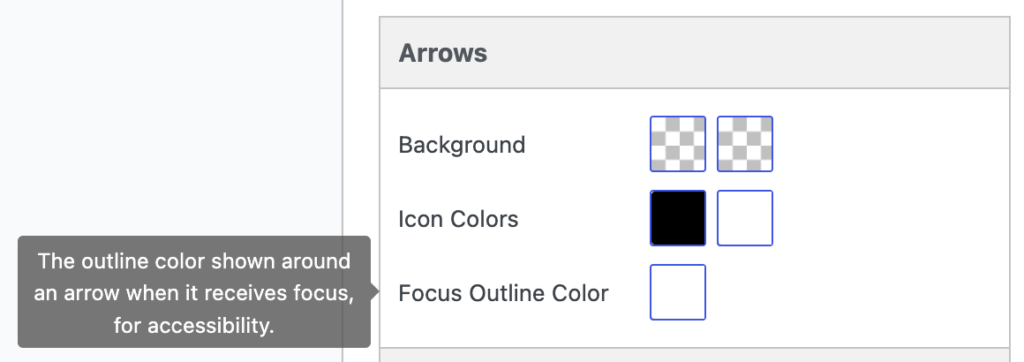
To show how this works, I’ve set the “Focus Outline Color” to use the MetaSlider orange color. If you click the Tab button on your keyboard you’ll be able to navigate to your slideshow. You can see that the left arrow now has an orange outline.

Other changes
- Duplicated slides: The date picker now opens correctly when clicking schedule dates on duplicated slides.
- Layer slides: End animation delays now behave as expected.
- Smart padding: Folder Images and Post Images no longer trigger a fatal error when Smart Pad Images is enabled.
- Maintenance: This release includes translation updates and dependency maintenance across the build tooling.
This post provides an overview of the new features in this release of the MetaSlider Slideshow plugin. The complete changelogs for both Free and Pro versions are available in our Docs area.

Get the best WordPress slideshow plugin
MetaSlider Slideshow is the best WordPress slider plugin.
You can create stylish sliders using images, videos and much more.