You can use the MetaSlider Gallery plugin to show Vimeo videos inside a gallery window.
You can enhance your Vimeo videos with a gallery window. Visitors can view your videos and then open them inside a pop-up. This can make the video larger and also darken the background so it’s easier to see the video.
There are two approaches to adding a gallery window to your Vimeo videos: Automatic Mode and Manual Mode.
Automatic Mode for Vimeo Video Gallery Windows #
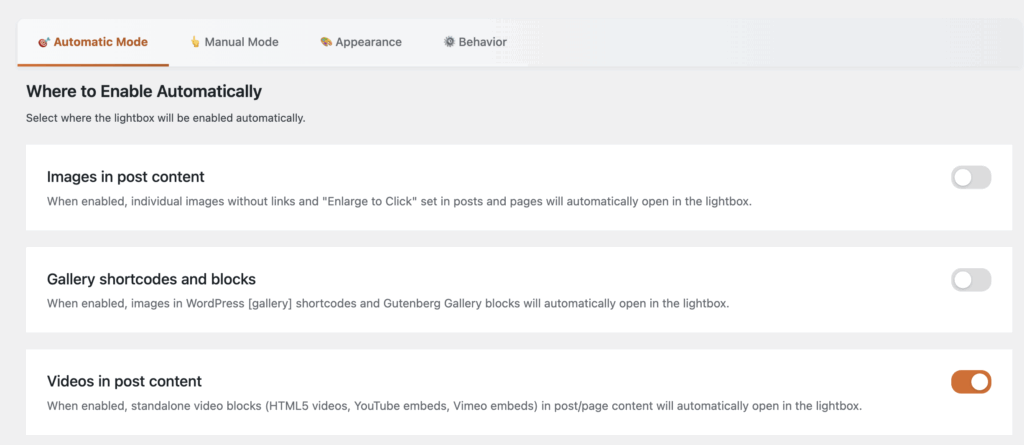
Under the “Automatic Mode” tab, you can select where the gallery window will be enabled automatically. Check the box for “Videos in post content” to apply the gallery automatically to HTML5 videos, YouTube embeds, and Vimeo embeds.
- This video below is a demo of how the gallery will appear. Click the orange button in the top-right corner.
Manual Mode for Video Gallery Windows #
The second option is to use “Manual Mode”. This allows you to choose which individual videos will open in a gallery window. This feature works with the WordPress block editor. Let’s see how to add a gallery window to videos that are added via a block.
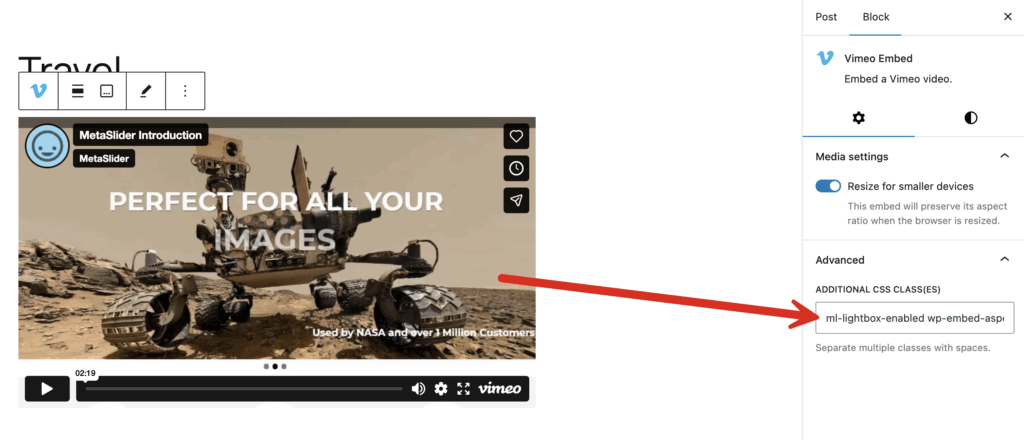
- Select the Vimeo video you want to use with MetaSlider Gallery.
- In the right sidebar, click the “Advanced” tab as in the screenshot below.
- Add
ml-lightbox-enabledto any existing text in this box.