Table of Contents
The MetaSlider Gallery window provides features that your visitors can use to interact with your images.
Display features #
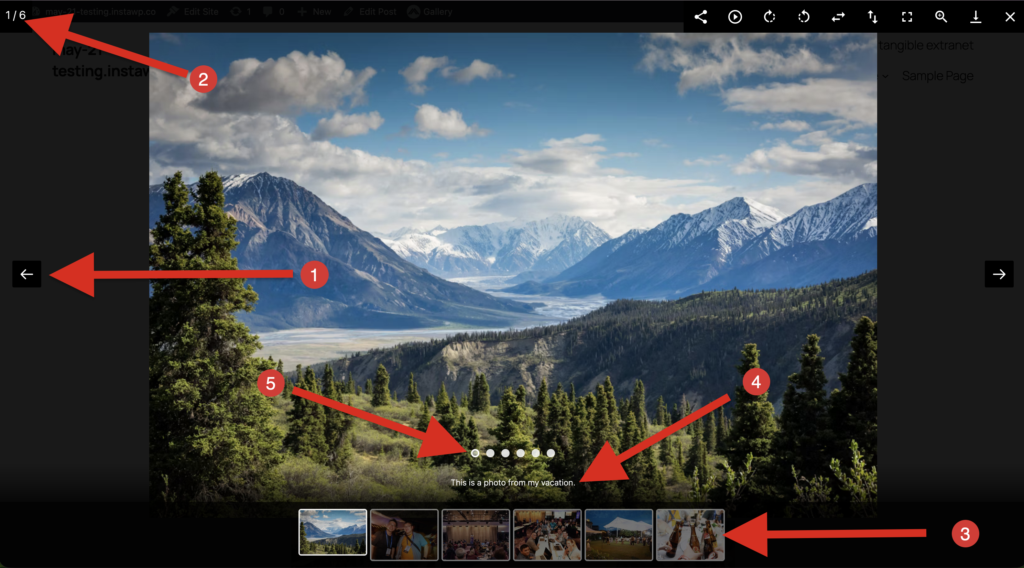
MetaSlider Gallery adds several display features to your images. We’ve labeled those in the screenshot bellow:
- Arrows: These left and right arrows allow visitors to browse your gallery.
- Slide counter: This shows the total number of slides and the current slide number.
- Thumbnail strip: This shows preview images that allow visitors to navigate the gallery.
- Captions: This adds a text caption to your images.
- Pager: This will show a dot navigation area below each image.
Features in the Toolbar #
- Share (MetaSlider Pro): Enable users to share images on Facebook, X, or Pinterest.
- Autoplay (MetaSlider Pro): Automatically advance through the images without the user clicking.
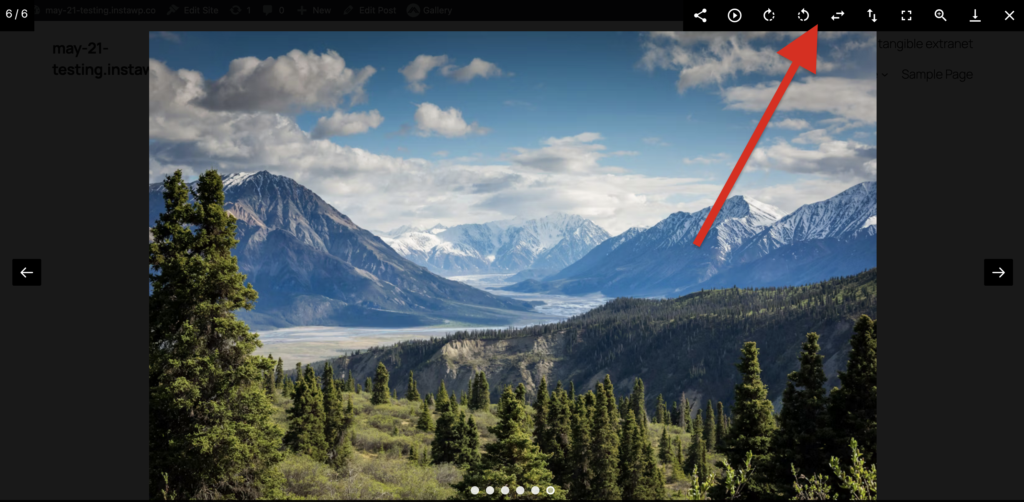
- Rotate (MetaSlider Pro): Users can rotate images left or right, plus flip them vertically or horizontally.
- Fullscreen (MetaSlider Pro): Expand the gallery window to fill the whole screen.
- Zoom (MetaSlider Pro): Pinch or scroll to zoom in and out of gallery images.
- Download: Users can download the image from the gallery.