
MetaSlider Gallery Pro can discourage visitors from casually saving your images by blocking right-click, dragging, and the mobile long-press menu, both on the gallery and inside the lightbox it opens. It is a deterrent rather than a lock: the images are still delivered to the browser, so a determined visitor can reach them, but the everyday save-and-share paths are closed off.
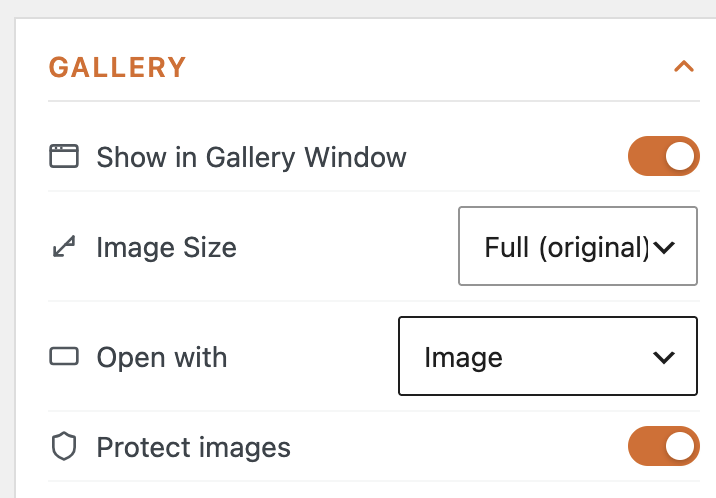
How to Protect a Single Gallery’s Images #
Each gallery has its own ‘Protect images’ toggle, so you can protect the galleries that need it and leave the rest untouched.
How to Protect Images on New Galleries by Default #
If you want protection switched on everywhere from the start, set it once in the plugin settings. New galleries then inherit it, and you can still turn it off for any individual gallery. Go to “Global Settings” then “Behavior” and look for the “Protect Images” option.

Your gallery images are now protected from right-click, dragging, and long-press saving, on both the gallery and in the lightbox.