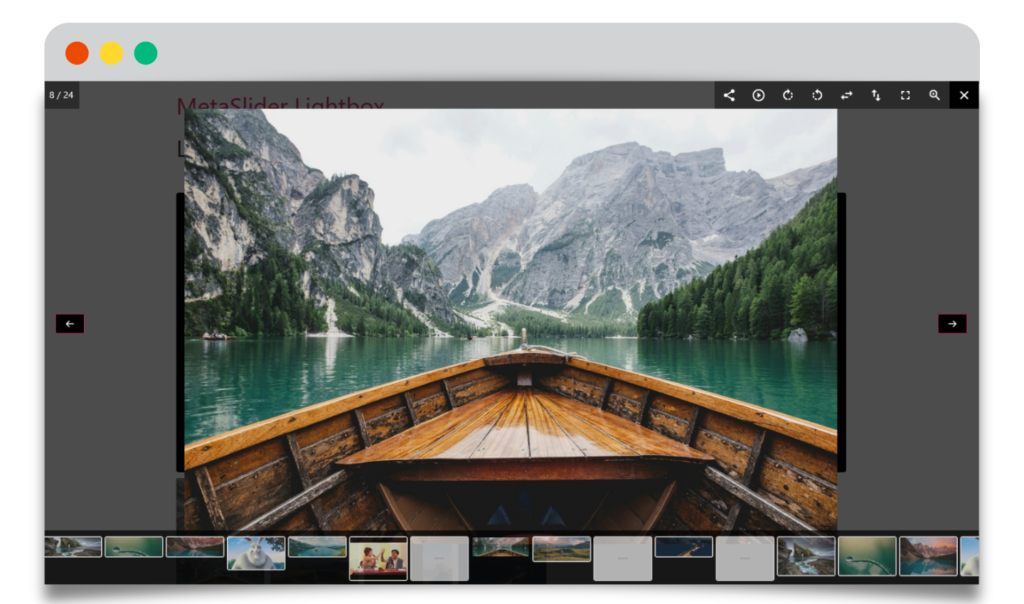
The December releases of MetaSlider are now available. These versions are our final releases for 2025.
We’re building the most user-friendly slideshow plugin in WordPress, and these updates are another step towards that.
Oh, and we’ve also started to build the most user-friendly gallery plugin in WordPress!
You can now upgrade to MetaSlider Free 3.104 and MetaSlider Pro 2.52. In this guide, I’ll show you what’s new in these releases. Here are the full changelogs.
Table of Contents for this post
Improved slide captions
We keep improving the captions you can place on top of images and videos. In this month’s release, you’ll find more formatting options such as underline, strike-through, remove formatting, font size, and line height options. This is in addition to two other recent new improvements, including buttons and the ability to hide caption elements on different device sizes.

Improved support for different device sizes
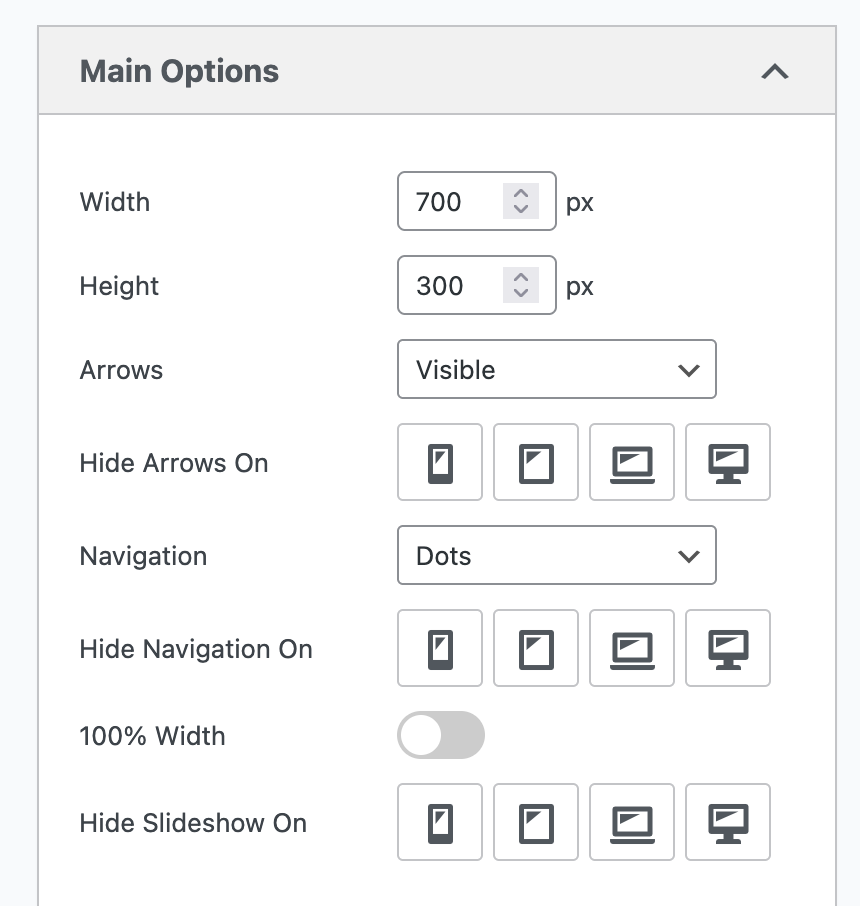
We’ve made it easier to control how your slides appear on different devices. With the device settings in MetaSlider, You can now choose to hide arrows, the navigation bar, or even the whole slideshow on mobile, tablet, laptop, or desktop devices. In this screenshot below, you can see three settings: “Hide Arrows On”, “Hide Navigation On”, and “Hide Slideshow On”.
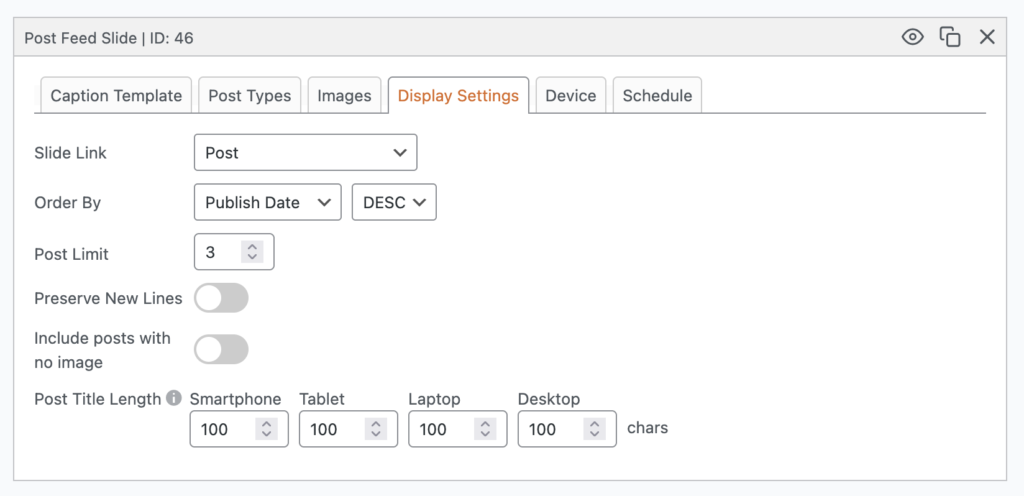
Post Title Length
While we’re talking about improvements for different device sizes, it’s now also possible to customize the length of your post titles on different devices. For example, on a small mobile device, you may want a much shorter title than on a large desktop screen. This feature works for both Post Feed slides and WooCommerce slides.
Advance multiple slides at once
This feature in MetaSlider Pro is helpful for busy carousels with lots of images. You can customize the “Slides to Advance” option.
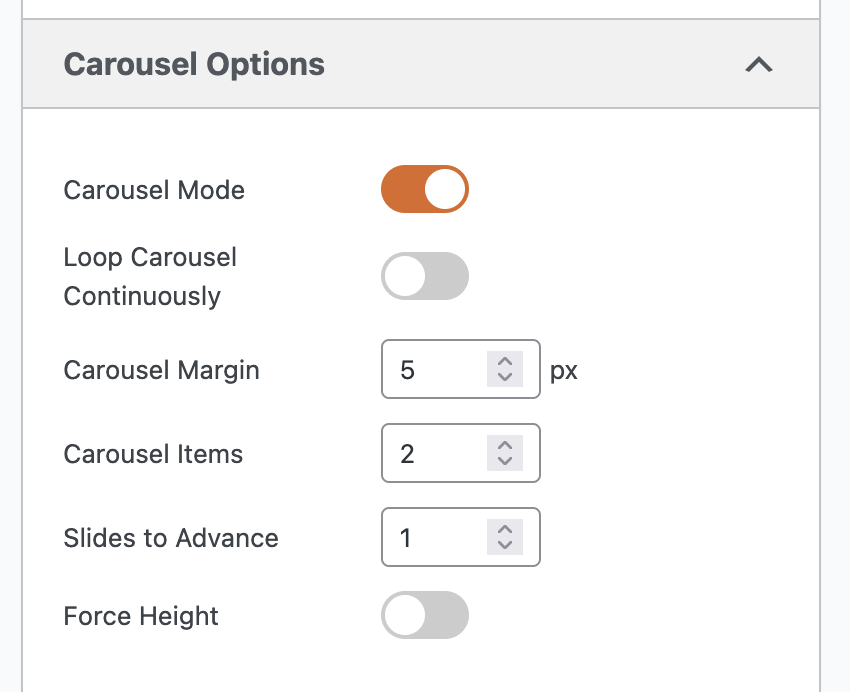
Take the example of this carousel slideshow below. There are at least 5 images on the screen at the same time. You could set “Slides to Advance” to “5”. That would mean that clicking on the navigation arrows will replace all the images on your screen.

MetaSlider Lightbox Pro
Yes, very quietly, we’ve released a new product here at MetaSlider. There’s a Pro version of MetaSlider Lightbox.
With this plugin, you can show WordPress images, videos, and slideshows in a stylish lightbox.
The Free version is available on WordPress.org. The Pro version adds a lot of extra features. When visitors look at your images and slides, they can zoom in, rotate images, switch to fullscreen mode, and much more.
This works with all the images and videos in your posts, plus it works seamlessly with MetaSlider. You can make your slideshows look amazing with lightbox support. Users can enlarge any MetaSlider slide in a high-quality, interactive display.
In 2026, we’re going to expand MetaSlider Lightbox to be a complete photo gallery solution for WordPress. This will become the “MetaSlider Lightbox Gallery” plugin.