
Here at MetaSlider we work really hard to make sure that our slideshows are accessible. We want our websites and plugins to be helpful to as many people as possible. If we build accessible websites, that means that people with disabilities can use them.
Keyboard accessibility is a cornerstone of web accessibility. This allows users to navigate your website using their keyboard. They don’t need a mouse or trackpad.
Most people take a mouse for granted, but many users have to rely on their keyboard. They may have motor disabilities, vision impairments, or even temporary injuries like a broken arm that make it impossible to use a mouse. Those users rely on keyboard shortcuts and the “Tab” key to browse websites.
Table of Contents
Enable Keyboard Controls in MetaSlider
MetaSlider provides a “Keyboard Controls” setting in the “Accessibility Options” area of the slideshow editing screen:
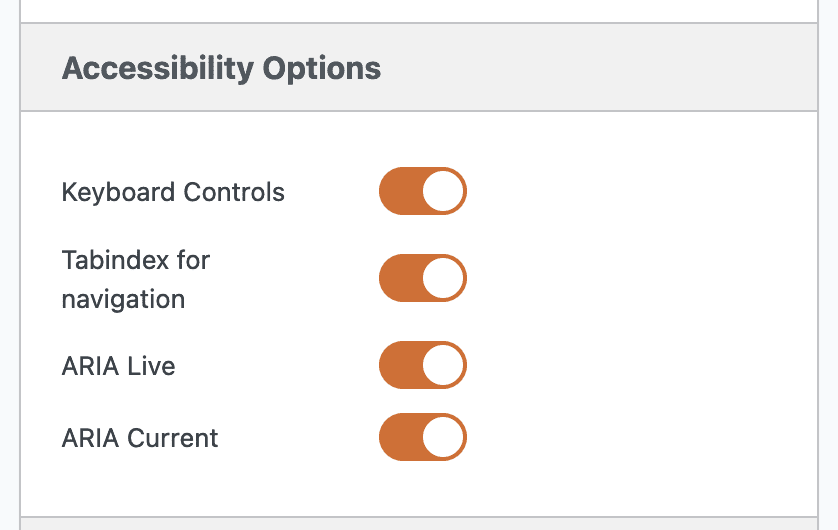
When the “Keyboard Controls” feature is enabled, this will improve your slideshow in two ways:
- Navigating the slideshow: Visitors can use the forward and back arrows on their keyboard to navigate through the slides.
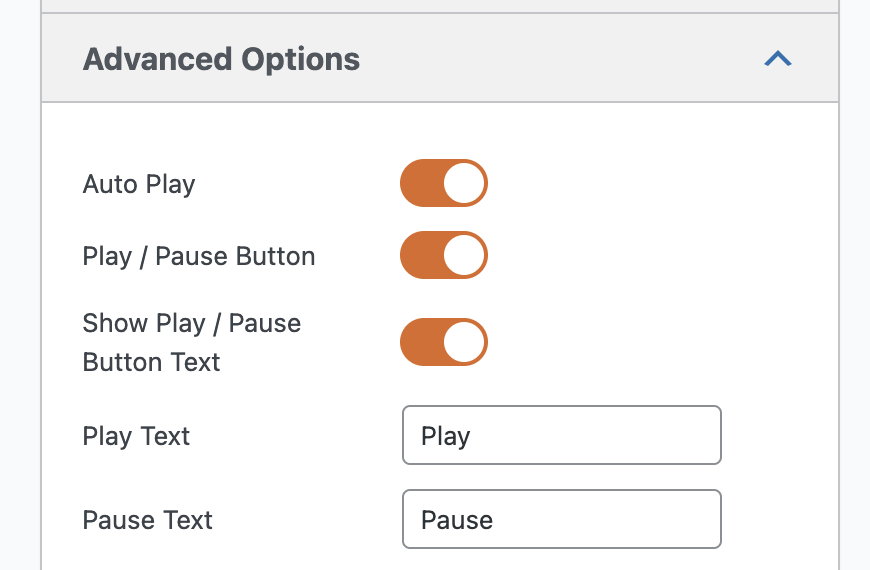
- Stopping and starting the slideshow: Visitors can use the “Tab” and “Enter” keys on their keyboards to stop or start the slideshow. You will need to have the Play / Pause button active. Visitors use the “Tab” key to navigate through the site content to the Play / Pause button and then use the “Enter” key to choose “Play” or “Pause”. This screenshot below shows how to enable the Play / Pause button.
Testing the Keyboard Controls
You can see all this in action on a slideshow such as the “Landscape Photography” demo.
Try to navigate the slideshow using the “Tab” key. You’ll see an example of the Keyboard Focus Indicator feature. This is really important for accessibility. A visible “outline” or highlight must appear around the interactive element. This allows the user to see where they are on the page. You can see an example in this screenshot:

When you get to the slideshow, you’ll see the same Keyboard Focus Indicator effect on the slideshow navigation. Check this next screenshot:

Accessible WordPress Slideshow Summary
It is possible to build accessible slideshows in WordPress. The advice I’ve given here will produce slideshows that are more useful for visitors with disabilities. There is a lot of overlap between these best practices and the best approaches to SEO and site speed. For example, having an accessible slideshow is an important part of having a search-engine friendly slideshow.
In this guide, I didn’t dig too deeply into the technical side of accessibility. That is because I wanted to focus on what you can control as a site administrator. If you are interested in the code, you can click here to see an overview of accessibility code in MetaSlider.

Get the best WordPress slideshow plugin
MetaSlider Slideshow is the best WordPress slider plugin.
You can create stylish sliders using images, videos and much more.