
Hey, and thanks for using MetaSlider.
MetaSlider is one of the most popular slideshow plugins for WordPress and has been for over a decade.
In 2022, the PublishPress team took over running MetaSlider, and we wrote our first annual review in 2023.
We’ve made some great improvements in 2024 and hope you enjoy our second annual review.
Table of Contents
#1. Updated MetaSlider Interface
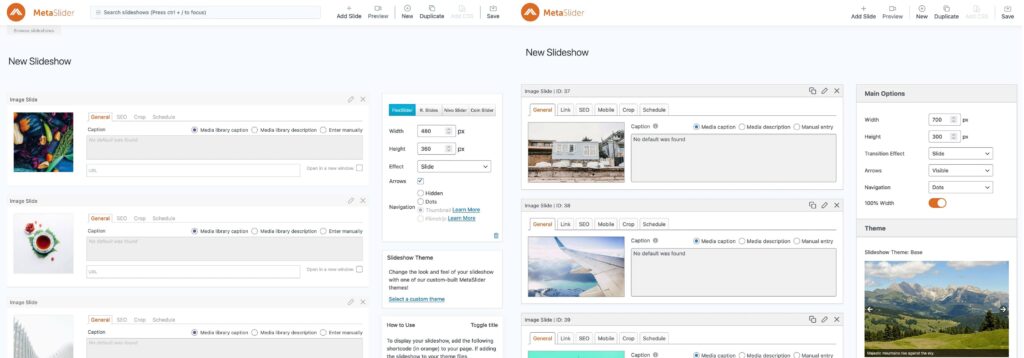
When we took over, many MetaSlider users had the plugin installed for over ten years. But the plugin was also in need of a refresh. Because people relied on the plugin’s features, we soon learned that it was very tricky to touch any of them. Thus, we’ve developed our own approach to backwards compatibility. In the screenshot below, you can see the old version on the left and the latest version on the right. The plugin is still recognizable, but looks much more modern. Here’s how we approached changing the UI.
#2. New Themes
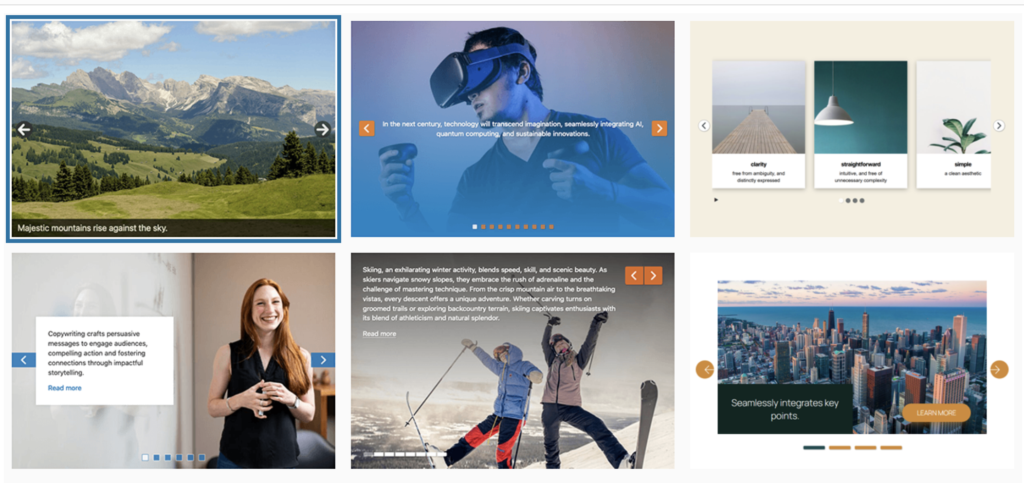
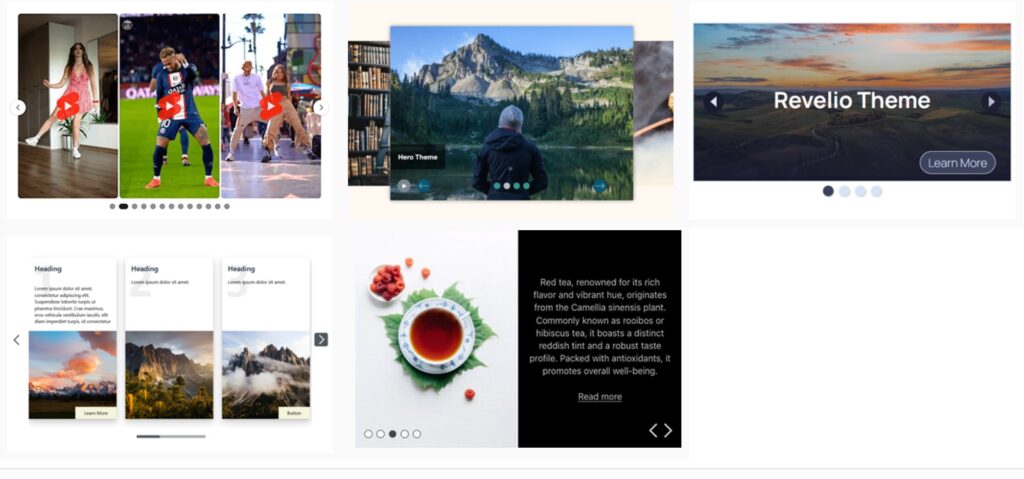
We added eleven new themes for MetaSlider users in 2024, which works out to about one new theme each month. In addition to the main themes, we included several features such as a progress bar. Click here to see all the MetaSlider themes.
#3. New Theme Editor
The “Theme Editor” feature in MetaSlider Pro has been completely rebuilt. This took months of work and is probably the coolest new feature of 2024.
This allows you to customize almost every aspect of your slideshow themes. You can change the arrows, navigation, captions, Play / Pause button, and other slideshow details.
Go to the “Theme Editor” link in MetaSlider Pro. Click the “Add New” button. You can then choose to customize any theme available in MetaSlider:
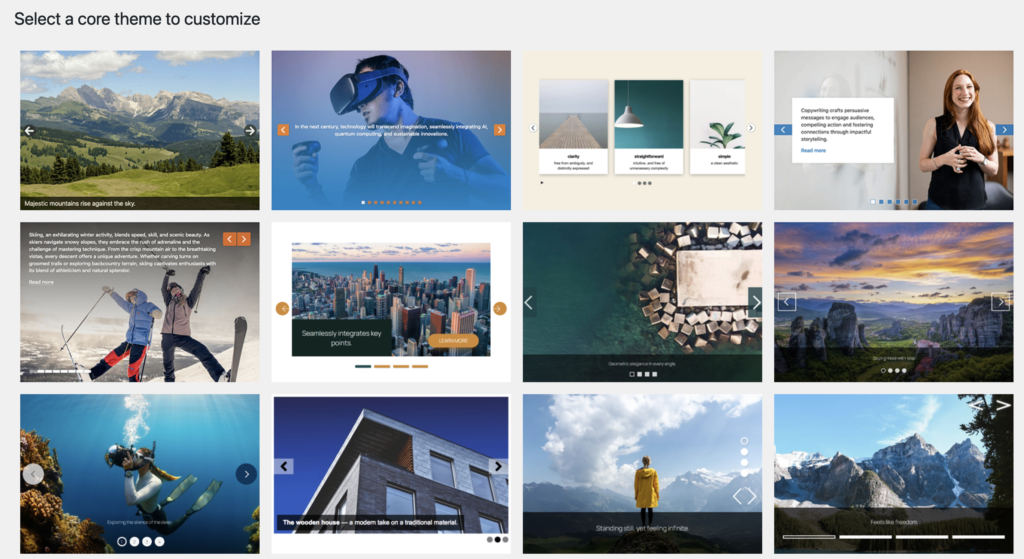
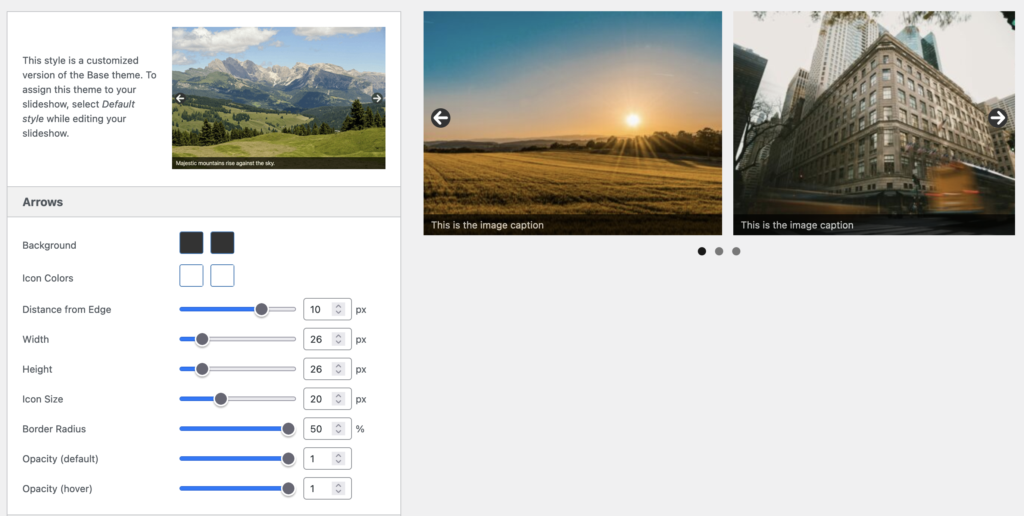
Once you’ve selected a theme, you’ll be taken to the main Theme Editor. This screenshot below shows the new Theme Editor with the settings on the left and a preview on the right.
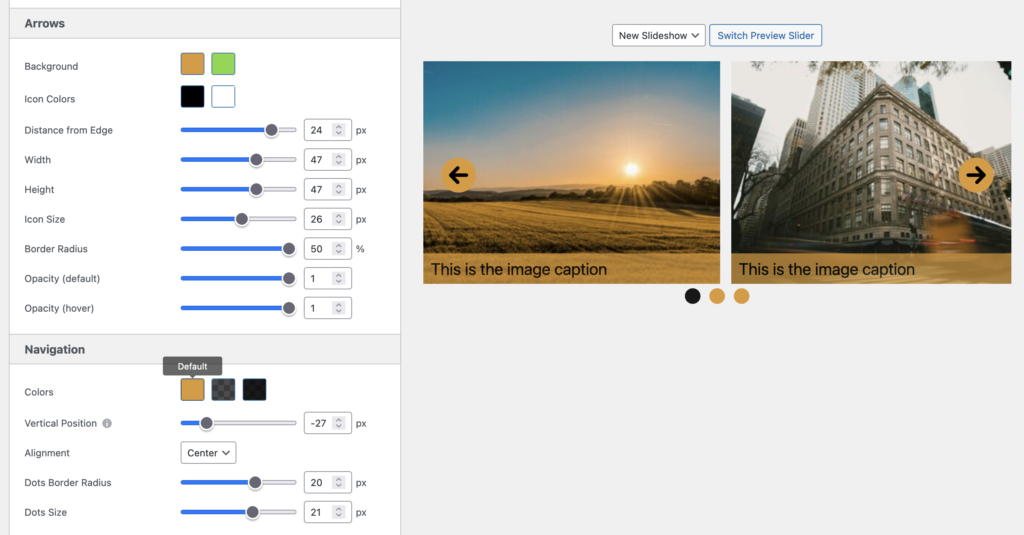
In this next screenshot, I’ve modified the theme using an orange and black style. The arrows, navigation and caption are all larger and use the new color scheme.
#4. New Color Controls
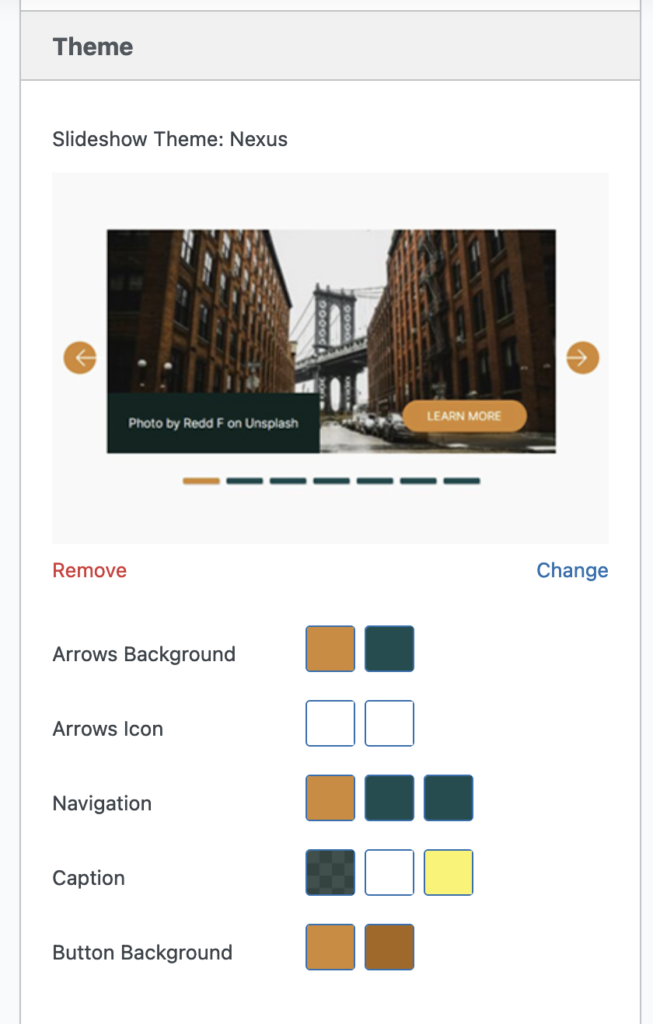
You’ll now find improved customization controls under all the themes. You can choose the color for the theme’s arrows, navigation, captions, Auto Play buttons, and more. I hope this makes it super easy for you to create a slideshow design that matches the look and feel of your WordPress site.
#5. Accessibility improvements
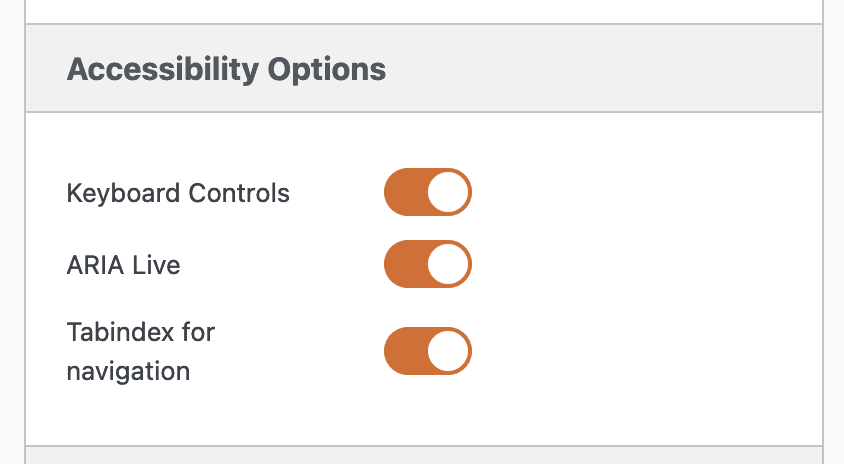
This year we added an “Accessibility Options” area for the first time. Here are the first three features.
- Keyboard Controls: Use the forward and back arrows on your keyboard to navigate through the slides
- ARIA Live: Screen readers will announce when the slides change.
- Tabindex for navigation: This helps to hide inactive slides from screen readers.
We constantly are working on making it easier for people to use MetaSlider slideshows. If you see any way that we can improve our support for accessible users, please do not hesitate to get in touch with us. We’ve written a detailed guide to building accessible WordPress slideshows.
#6. Mobile Settings
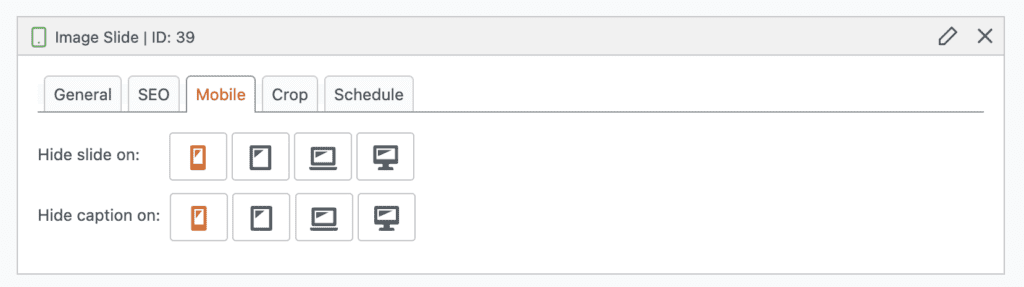
In the MetaSlider slideshow editing area, you’ll now see a “Mobile” tab. Here you can choose to hide your slides on some device sizes. We provide four breakpoints by default:
- mobile
- tablet
- laptop
- desktop
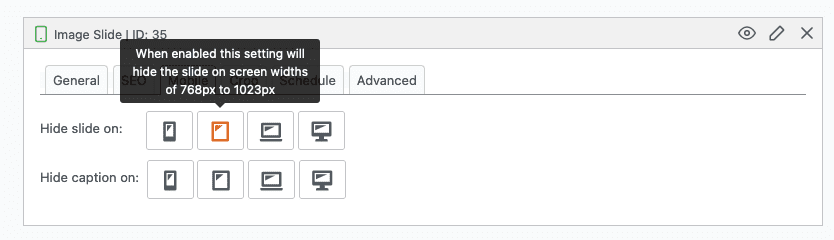
Each icon has a tooltip with details of what this option does. For example, if you click the tablet icon, you’ll see the message, “When enabled this setting will hide the slide on screen widths of 768px to 1023px”.
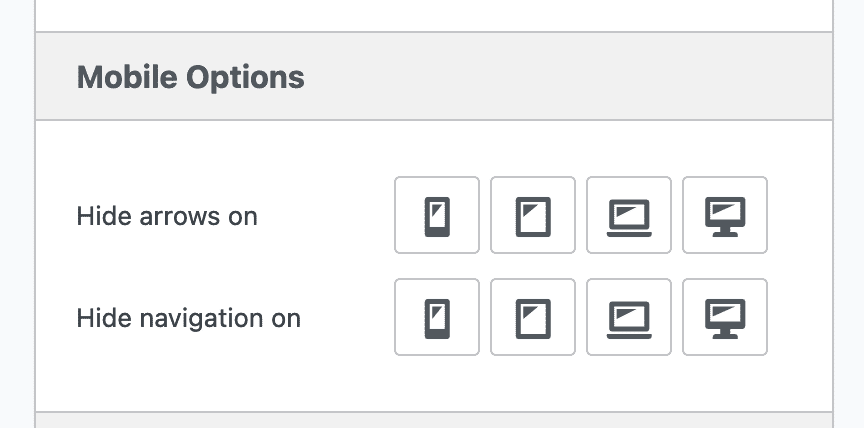
Also, some MetaSlider users requested the ability to hide arrows and navigation elements on very small and very large screens. So, in the MetaSlider slideshow editing area, you’ll now see a “Mobile Options” tab. Here you can choose to hide your slideshow’s arrows and navigation on some device sizes. We provide four breakpoints by default: mobile, tablet, laptop, and desktop.
Six More Features
- Higher quality image cropping: The “Image Crop Size” feature allows you to show extra-high quality images in your slideshow. You can increase the resolution of the images you display. Find out more.
- Captions for local and external videos: In MetaSlider Pro, it’s now possible to add captions to both Local Video Slides and External Video Slides. You will find a “Captions” tab where you can add text over your videos. This is different from the video text tracks that act more like subtitles for videos. Find out more.
- Support for TikTok and YouTube Shorts: MetaSlider Pro now supports TikTok and YouTube Shorts. We also added a new theme called “Social Play” that is specifically optimized for vertical, social videos. Find out more about TikTok and more about YouTube Shorts.
- Play / Pause button: There is a new option to add a Play / Pause button to your slideshows. We recommend being careful with enabling Auto Play for your slideshows as it may annoy or confuse some users. If you do want slides to move automatically, it’s a good idea to allow people to stop them using this new feature. Find out more.
- Slideshows can loop continuously: If you choose “Continuously” for the “Loop” option, your slides will keep moving infinitely, without stopping or reversing direction. Find out more.
- Text editor for captions: You can now use a rich text editor to write captions for MetaSlider slides. You can use bold, italic, font colors, links, alignment and much more. Find out more.
What’s Next for MetaSlider?
Thanks for all the support you’ve shown to MetaSlider this year. Everything on this list has been built in response to your feedback. We have big plans for MetaSlider in 2025. In particular, we want to add photo gallery features so that MetaSlider can be used for much more than just slideshows.
If you have suggestions for what you want to see in MetaSlider, please let us know. We love to hear your ideas.

Get the best WordPress slideshow plugin
MetaSlider Slideshow is the best WordPress slider plugin.
You can create stylish sliders using images, videos and much more.