
WP-Optimize is a popular plugin that helps you boost site performance and reduce page load times. This guide has tips for troubleshooting issues if you are using MetaSlider with the WP-Optimize plugin.
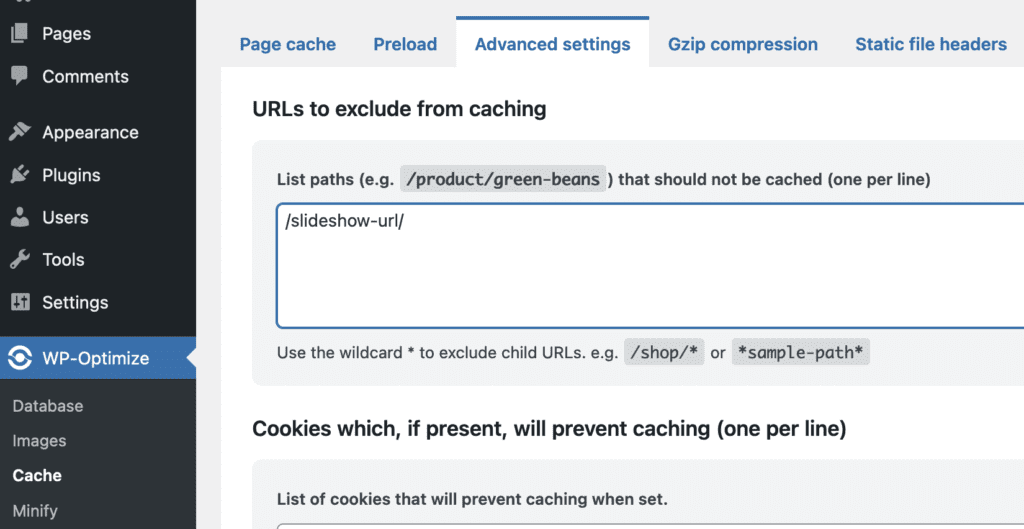
If you are using the WP-Optimize plugin on your site and the slideshow is not updating, check the “Cache” settings. Under the “Advanced settings” tab, try using the “List paths” area to exclude any pages with MetaSlider slideshows.
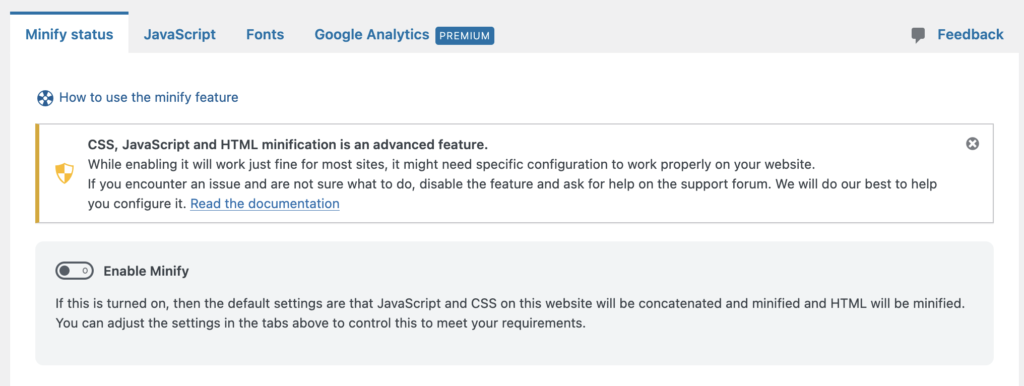
If you are using the WP-Optimize plugin on your site and the slideshow is not loading, check the “Minify” settings and try disabling the Minify options:
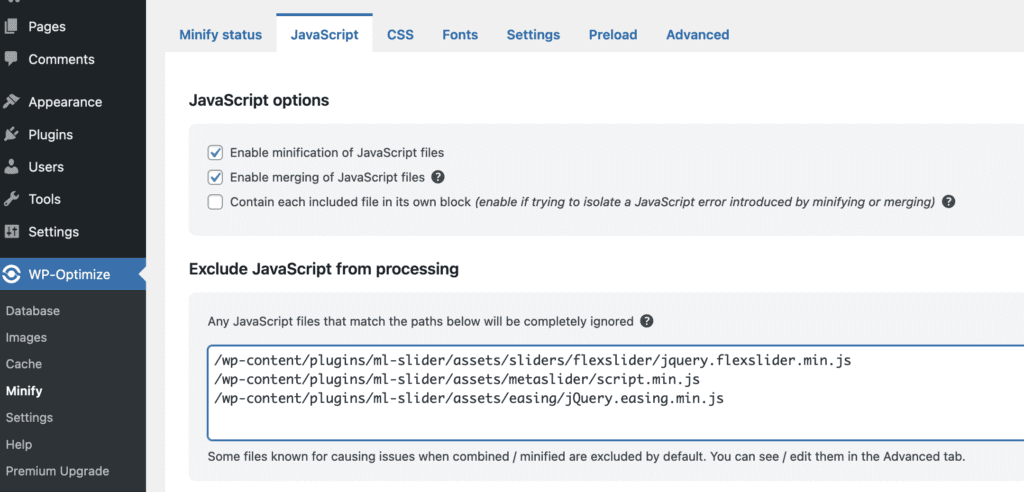
Under the “Javascript” and “CSS” tabs, try excluding these CSS files:
/wp-content/plugins/ml-slider/assets/sliders/flexslider/flexslider.css/wp-content/plugins/ml-slider/assets/metaslider/public.css
And also try excluding these Javascript files:
/wp-content/plugins/ml-slider/assets/metaslider/script.min.js/wp-content/plugins/ml-slider/assets/easing/jQuery.easing.min.js/wp-content/plugins/ml-slider/assets/sliders/flexslider/jquery.flexslider.min.js
This feature requires the MetaSlider Slideshow Pro plugin.
MetaSlider Pro offers an option to automatically flush the cache when saving slideshow changes. This feature supports WP-Optimize. You can enable this feature by going to the “Settings & Help” area and enabling the “Flush Cache when Saving Changes” feature.
