
The WP Rocket plugins enables you to make your WordPress website faster and boost your Google PageSpeed score.
This guide has tips for troubleshooting issues if you are using MetaSlider with the WP Rocket plugin. These tips are not guaranteed to work, but will help with many common issues.
If you are using the WPRocket plugin on your site and the slideshow is not loading correctly, check the “CSS safelist” settings.
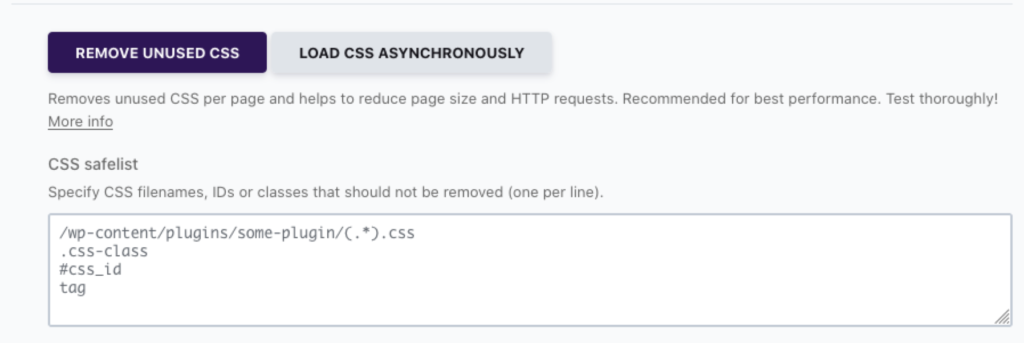
Try excluding these CSS files in the “CSS safelist” box.
/wp-content/plugins/ml-slider/assets/sliders/flexslider/flexslider.css/wp-content/plugins/ml-slider/assets/metaslider/public.css
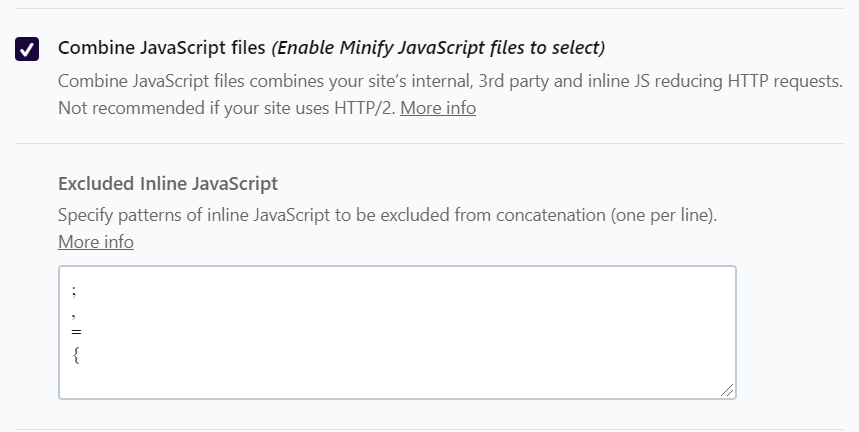
You may also try disabling the WP Rocket feature that combines Javascript files. MetaSlider needs these Javascript files to run correctly:
/wp-content/plugins/ml-slider/assets/metaslider/script.min.js/wp-content/plugins/ml-slider/assets/easing/jQuery.easing.min.js
/wp-content/plugins/ml-slider/assets/sliders/flexslider/jquery.flexslider.min.js
This feature requires the MetaSlider Slideshow Pro plugin.
MetaSlider Pro offers an option to automatically flush the cache when saving slideshow changes. This feature supports WP Rocket. You can enable this feature by going to the “Settings & Help” area and enabling the “Flush Cache when Saving Changes” feature.
