
This feature requires the MetaSlider Gallery Pro plugin.
MetaSlider Gallery Pro can let visitors choose which size of an image they download, instead of always giving them the one size you display. You pick the sizes on a gallery-by-gallery basis, so a portfolio gallery can offer a print-resolution original while a blog gallery offers something smaller. The choice appears on the download button in the gallery window, and each image only lists the sizes WordPress actually generated for it.
How to Choose the Download Sizes for a Gallery #
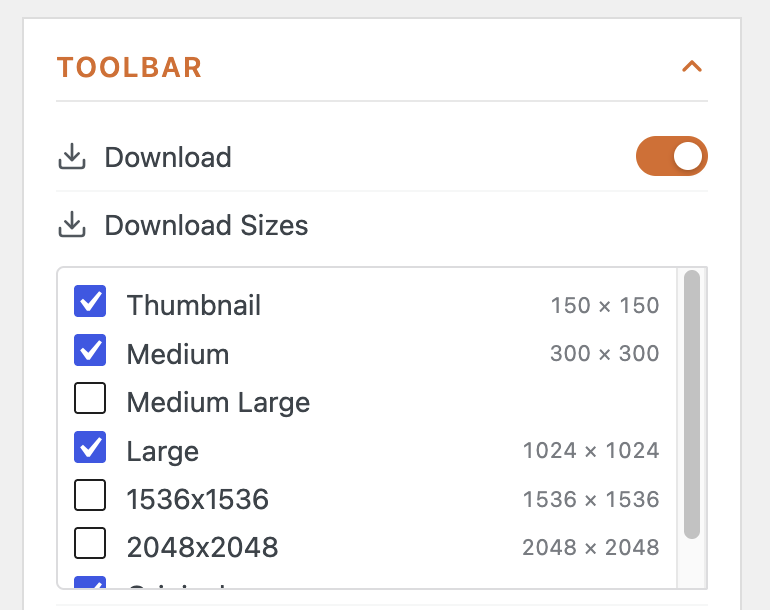
The sizes you offer are set per gallery, in the ‘Toolbar’ section of the gallery settings. The list is built from the image sizes registered on your site, so it reflects your own theme and plugin settings rather than a fixed set.
What Your Visitors See #
In the gallery window, the download button now opens a short menu instead of downloading straight away. Each entry names a size and the dimensions of that particular image, and choosing one downloads that file with the size in its filename, so a visitor collecting two sizes of the same photo does not overwrite one with the other.
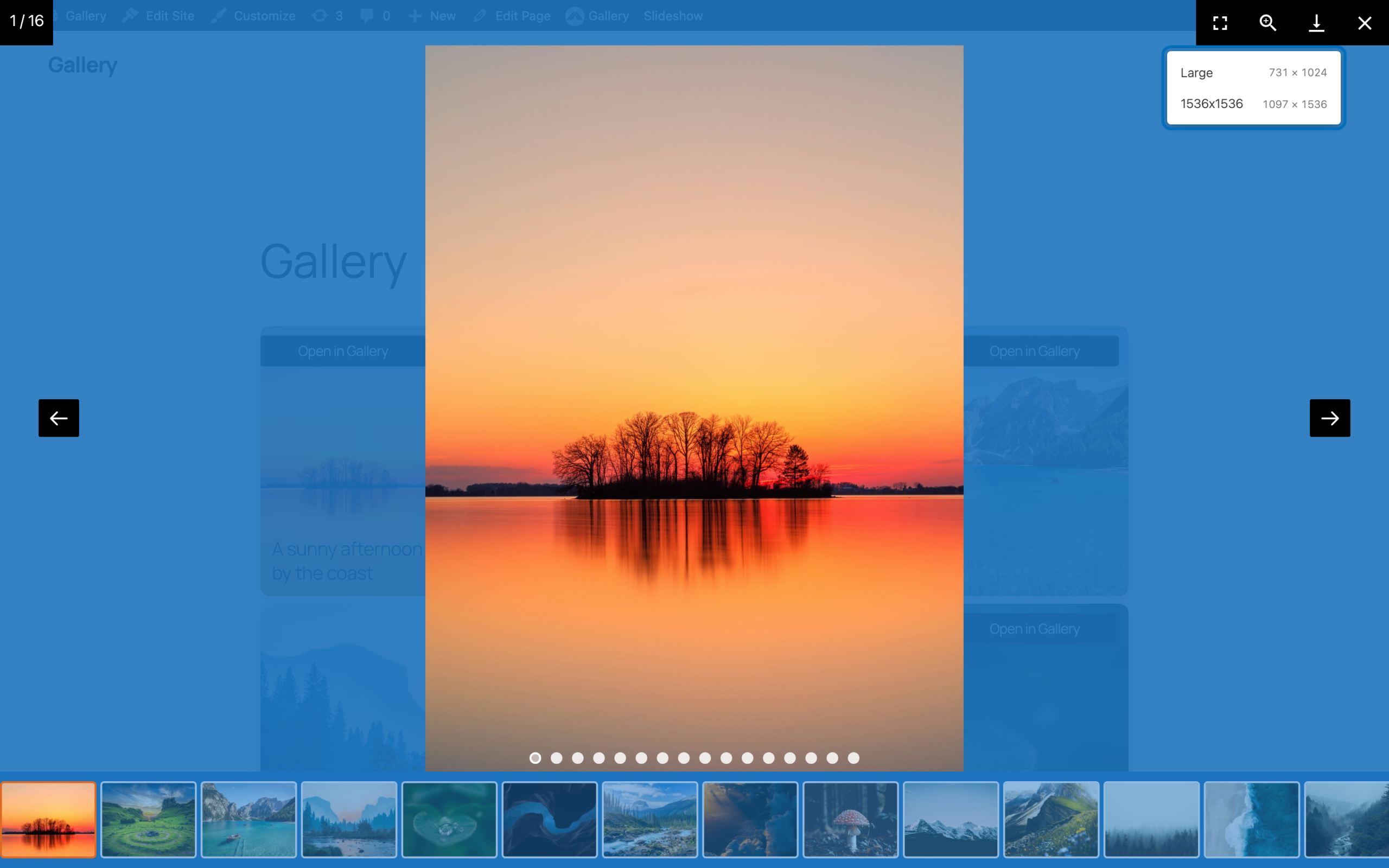
The menu adapts to each image as visitors move through the gallery. A small image that was never resized has nothing to choose between, so it falls back to a plain download button, while the images beside it still offer the full list.
Your visitors can now download your gallery images at whichever size suits them.